
How to Use Claude Code to Learn Any Field: Turn Learning Into a Project That Runs
One local repo, one CLAUDE.md, one progress.md. Every day you open the project, Claude Code reads your progress, assigns tasks, checks output, and updates the review log. Most people learn with AI the
Written by
Voxyz AI
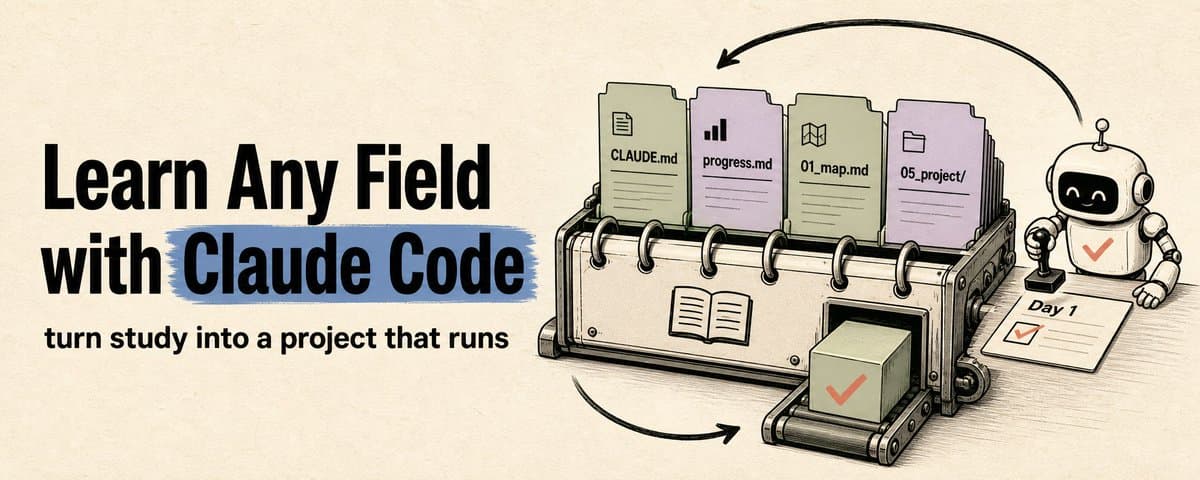
One local repo, one CLAUDE.md, one progress.md. Every day you open the project, Claude Code reads your progress, assigns tasks, checks output, and updates the review log. Most people learn with AI the same way: "Explain AI Agents to me." The AI gives you an explanation. You feel like you get it. Next day, different question, back to square one. Notes are scattered across chat logs. Concepts never stick. Mistakes never get reviewed. Projects never move forward. You end up with a pile of reasonable-sounding answers but no learning system. Using Claude Code to learn changes things. It reads and writes files in your project directory, runs commands, loads the same set of rules at the start of every session via CLAUDE.md, packages repeatable workflows into Skills, and splits tasks across subagents. It's an agentic coding tool that operates on your local project. The right way to learn a new field with Claude Code is: turn learning into a local project. Rules go into CLAUDE.md, progress goes into progress.md, sources go into 02_sources/, concepts go into 03_notes/, exercises go into 04_exercises/, and you prove you learned by shipping a small project. The method in one sentence Use Claude Code to create a local learning repo for any field. The repo has at least 6 things: a knowledge map, source materials, concept notes, exercises, a project deliverable, and review logs. Every step below comes with a ready-to-copy template: the repo directory structure, a CLAUDE.md rules file, a daily learning prompt, a reusable SKILL.md, and a universal starter prompt. You don't start over with AI every day. You open the repo and say:
Claude Code picks up where yesterday left off. Step 1: Set up the repo, write the rules Say you want to learn AI Agents:
Ask Claude Code to create the learning repo:
Restrain yourself. Have it generate Day 1 only, not 30 days at once. A learning system isn't built in one shot. You build it by using it and correcting it every day. Start in an empty directory. Don't try this inside your company codebase, client files, or anywhere near secret keys. The learning repo should only contain public materials, anonymized data, and your own practice output. Once the repo is set up, write long-term rules in CLAUDE.md. One common mistake: Claude Code reads CLAUDE.md, not AGENTS.md. If your project already has an AGENTS.md, you can import it in CLAUDE.md with AGENTS.md.
CLAUDE.md gets loaded as context at the start of every session. Claude Code reads it, sees the rules, and treats the project as a learning project, not a casual chat. If you want harder guardrails (like preventing it from stopping before progress.md is updated), that's what hooks are for. Step 2: Draw the map first The first mistake when learning a new field is jumping straight to "What is an AI Agent?" You'll get an encyclopedia-style answer. You feel like you understand, but you have no sense of where the boundaries of the field are. A better first step: have Claude Code generate a domain knowledge map and save it to 01_map.md. The map should answer: what problem this field solves, the 20 most important concepts, how they relate to each other, the 10 concept pairs beginners confuse most often, and the stages from beginner to project-ready. Beginners need to know what to skip. The map gives you that. Claude Code compresses the material into structure: the 20% you must learn first, the 60% you skip for now, the 20% you come back to after the project. Step 3: Daily input-output loop Don't ask "teach me some AI Agent stuff today." That's too vague. Claude Code will give you an essay. Instead, say:
Claude Code checks your progress every time before deciding what to teach. You confused tool use and function calling yesterday? It covers that first today. You can explain concepts but can't build anything? It cuts the lectures and adds tasks. You got the same type of question wrong twice in a row? It lowers the difficulty. After a few days, progress.md looks like this:
progress.md is Claude Code's input for planning your next session. You update it after every session, and Claude Code reads it before the next one to know where you're stuck. Step 4: Build a small project You don't know a field until you can build something. The learning repo must have 05_project/. The smaller the project, the better, but it has to be complete: it runs, and you can show it to someone. For AI Agents, build a research assistant. For data analysis, a sales dashboard. For writing, a topic → outline → draft → edit workflow. For prompt engineering, a prompt template library. Have Claude Code design the project based on your progress.md and save it to 05_project/project_plan.md. The plan includes: name, core features, daily tasks, acceptance criteria, and how to present it. Keep it small, but make it complete. Something you can run and show someone. Step 5: Let Claude Code be the examiner Most people stall because they never get tested. When you finish a phase, don't keep adding new material. Have Claude Code test you:
You need to find out what you thought you understood but didn't, and what you can follow but can't do. The blind spots you discover in tests outnumber what you expected. Step 6: Reuse and level up When you've used this method across multiple fields, you can package it as a Claude Code Skill. Skills extend Claude Code: you create a SKILL.md, and Claude Code uses it in relevant contexts. You can also invoke it directly with /skill-name. The content only loads when needed, which saves context compared to stuffing everything into CLAUDE.md. Once packaged, starting a new field is just:
Note: the /domain-learning-master command name comes from the directory name domain-learning-master, not the name field in SKILL.md. If you want to reuse it across all learning projects, put it at ~/.claude/skills/domain-learning-master/SKILL.md (global). If you only want it for the current project, put it at .claude/skills/domain-learning-master/SKILL.md (project-level). A ready-to-copy SKILL.md:
More advanced setups: add subagents (source-scout for finding materials, concept-checker for verifying understanding, examiner for grading tests), and add hooks for hard enforcement. A Stop hook can check whether progress.md was updated before letting Claude Code finish. A SessionEnd hook can save logs when you close the session. Subagents work in their own context and report results back, which saves context in the main conversation. Hooks are event-triggered deterministic commands, more reliable than hoping the model "remembers to do it." Get the basics working first. One CLAUDE.md + one progress.md is enough to run the learning loop. Add Skills when you're reusing the method across fields. Add subagents when you have enough material and tasks to justify them. The 30-day rhythm Don't promise "master any field in 30 days." What you can do in 30 days: 30 days to build beginner-level understanding, finish a presentable small project, and leave behind a learning repo you can keep iterating on. Week 1: Build the map. Know what's in the field, which concepts matter most, and which ones you can skip for now. Output: 01_map.md, 20 core concepts, first round of mistakes. Week 2: Break down concepts, study examples. Learn 2-3 concepts per day, each with examples and exercises. Output: 03_notes/, 04_exercises/, first milestone test. Week 3: Build the smallest project. Stop piling up theory. Compress what you learned in weeks 1-2 into a small project. Output: first working version in 05_project/. Week 4: Test, patch, present. Let Claude Code be the examiner, find weak spots, add exercises, polish into a presentable piece. Output: project README, demo notes, review report, plan for the next phase. Every day, complete one loop: learn something, practice it, hand in a deliverable, get tested, update progress. The goal each day: leave behind one thing that can be checked. Universal prompt For learning any field, just use this:
Last thing Open your terminal now: mkdir learn-whatever-you-want && cd learn-whatever-you-want && claude Paste the universal prompt above and run Day 1. Once the repo is set up, all you need every day is one sentence: "Based on progress.md, plan today's learning session." Your notes compound, your blind spots shrink, and in 30 days you have a repo you can keep building on and a project you can show people. For more agent building notes written as I build, full notes at voxyz.ai/insights Hope this was useful. Vox ❤️
Originally on X
This piece first appeared on X on Jun 10, 2026.
X first-week signal captured Jun 18, 2026
Next step
If you want to build your own system from this article, choose the next step that matches what you need right now.