
Install a skill once, use it everywhere
Most of us run two or more agent CLIs now (Claude Code, Codex), and we bounce between a laptop and the cloud on top of that. I installed each skill once per CLI, then again per machine, and it got
Written by
Voxyz AI
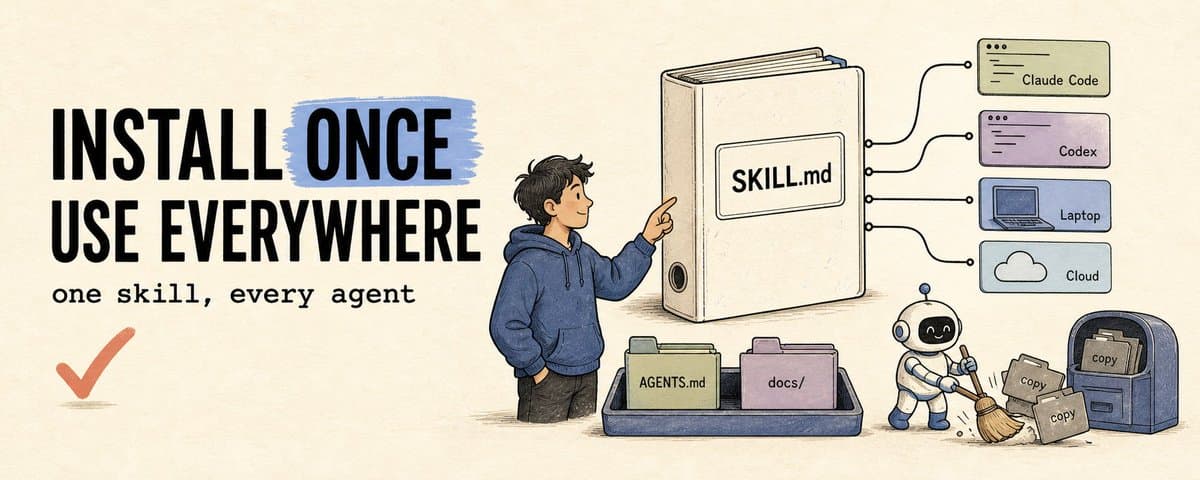
Most of us run two or more agent CLIs now (Claude Code, Codex), and we bounce between a laptop and the cloud on top of that. I installed each skill once per CLI, then again per machine, and it got messy fast. Same skill in three or four copies, fix one and the rest go stale. Splitting it into two tracks fixed that: shared tools vs project knowledge. Shared tools vs project knowledge Shared tools are general capabilities that work in any project: API docs, design conventions, little utilities. I install those as skills. Claude Code and Codex both read the SKILL.md format, so the body, references, and scripts can be shared, but invocation, permission fields, and packaging stay per-CLI. Project knowledge is specific to one repo: its folder and naming rules, how a third-party API gets wired in, the pre-ship checklist. I keep these as plain markdown in the repo, read on demand, not registered as skills. The reason to split comes down to context. A registered skill sits in the model's available-skills list: name and description loaded up front, the full SKILL.md only when it gets picked or I call it. Register too many and you burn that list budget, plus you get misfires where the agent drags an unrelated workflow into the task. So I keep a small set of high-frequency skills registered, and leave project knowledge unregistered and off the auto-trigger path. If a project workflow really needs to be a skill without firing on its own, make it manual-only: disable-model-invocation: true in Claude Code, allow_implicit_invocation: false in Codex. Shared tools: one canonical copy, installed once I don't hand-roll this. I use Vercel Labs' skills installer. npx skills add pulls a skill from GitHub, a git URL, or a local dir and writes it into each agent's own folder: Codex reads .agents/skills/ (and ~/.agents/skills globally), Claude Code reads .claude/skills/. I keep one canonical copy in .agents/skills/ and install the rest as symlinks back to it, not fresh copies:
Keep the symlinks relative, so they survive the canonical folder moving or getting renamed on the same machine. Across machines I don't use symlinks at all (more below). One install, every agent has it, and an update touches one copy. That lock file records the source, the path, and a content fingerprint. It's for tracing, update checks, and reinstalls, not a local fork. To change a skill I edit it, PR it upstream, then reinstall to refresh. A new machine rebuilds the whole set from the lock. I read before I install. A skill can ship scripts, permission prompts, and a workflow, so installing one hands the agent new instructions. I check the SKILL.md, the scripts, and the source first, and skip unknown repos. Project knowledge: into git, with a routing table Project rules go in the repo as plain files, committed with the code: docs/project-conventions.md docs/stripe-integration.md docs/release-checklist.md A registered skill can get auto-picked; a plain doc never enters that list, so it only gets read when I point at it from AGENTS.md: conventions before touching components, the integration doc for Stripe, the checklist before shipping. (Claude Code also has .claude/rules/ as a path-triggered layer. I stay on plain docs plus a routing table so the same set works for both CLIs.) The trade is real: I maintain that routing table and count on the agent to read it. I take it, because the global context stays clean and the rules live in the same repo as the code. One detail: Codex reads AGENTS.md, Claude Code reads CLAUDE.md and ignores AGENTS.md, so I have CLAUDE.md import AGENTS.md, one source, no hand copying. Why it's worth it Two layers: shared tools get one canonical copy plus an installer feeding every agent; project knowledge gets one git repo feeding every machine. Symlinks stay on a single machine, since one points at nothing the moment it hits the cloud or a new box. Across machines it's git, with manual pull and push and no silent two-way sync. If something collides I stop and sort it out by hand. The setup work itself I hand to the agent. Symlinks, installs, reinstalls, I just tell Claude Code or Codex to run them. Cheat sheet: where things go
The prompts I actually paste The grunt work goes to the agent. These are the lines I hand it.
Hope this was useful. Vox ❤️
Originally on X
This piece first appeared on X on Jun 24, 2026.
X response snapshot captured Jul 23, 2026
Next step
If you want to build your own system from this article, choose the next step that matches what you need right now.
Related insights
How I run any AI voice tool through the same client delivery workflow
I've used Fish, Cartesia, Panda, Starfish, Mockingbird, ElevenLabs, and ElevenLabs V3 for client work. ElevenLabs V3 was my default for a while because it handled full sentences and emotion well. On
Read nextclaude code-maxxing: treat claude code like a project loop
Most people run claude code like a smarter terminal. ask for a change. take the diff. maybe run tests. close the session. it works fine. it also wastes most of what claude code can do. what changed
Read nextThe more I use AI, the less I want to start from a prompt
Watch someone work long enough and you notice something: they have patterns. The best account manager at your company already knows to pull up the last conversation before picking up the phone, find
Read next