
20 Ways to Stop Wasting Tokens With Your OpenClaw / Hermes
A builder replied to my post today: "I think I will go broke with all these agents 😭…. Fking 200+ USD every month on ai is too much now and I noticed only 5-10$ of those are productive rest is bs…"
Written by
Voxyz AI
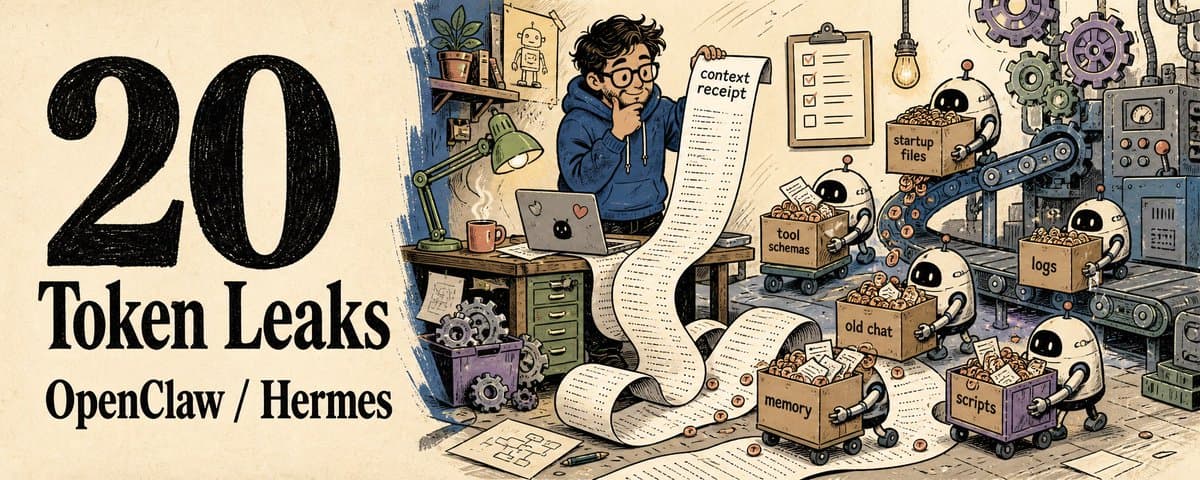
A builder replied to my post today: "I think I will go broke with all these agents 😭…. Fking 200+ USD every month on ai is too much now and I noticed only 5-10$ of those are productive rest is bs…" I said: "lmao rip. i tell myself it's r&d" He came back: "My R&D is not paying off lol 🤣" Jokes aside. That feeling of a $200 bill where only $5 is actually doing work? I get it too. Often. When agents get expensive, slow, or hit a rate limit before they've done any real work, the first instinct is to blame the model. But most of the time, reasoning isn't the main cost. The real token burn is what I keep feeding back in every turn: the same startup rules, a batch of tools that won't be used, history from the previous task, a wall of logs the shell could have filtered first. So I picked up a habit: before blaming the model, I flip through 7 receipts.
Seven places to check: Which startup files got injected this turn Which tool schemas aren't needed for this task Whether any tool output ran wild on length Whether the conversation history is bleeding in from a previous task Whether memory is still holding old task progress Which deterministic steps actually belong in a script Whether the final output can compress down to verdict + evidence + next action If those 7 are clean, then I blame the model. Below: 20 ways to actually check and fix each one. Works for both OpenClaw and Hermes. The principles are the same, and I've marked where commands differ. A. Startup Baggage
Look at the context receipt before switching models When an agent acts up (expensive, slow, throttled), the reflex is to switch models. Flipping through the context first is usually cheaper. OpenClaw: use /status, /context list, /context detail, /context map, /usage tokens, /compact. Don't copy those straight into Hermes. Hermes has /usage, /compress, /skills, /tools, plus what got loaded this turn through toolsets, memory, context files, and file reads. In my own notes I call this checkup the context receipt. Neither runtime ships with an official name for it. It's my personal label for handoffs and postmortems. The name doesn't matter. What matters is knowing whether the money went to input, tool output, history, or the model itself.
Trim the startup files Files like AGENTS.md, SOUL.md, MEMORY.md (the ones that go into the system prompt) are the easiest place to bloat. Every new situation gets a new rule stuffed in. Six months later, every tiny task drags a whole operations manual along. Keep only stable identity, hard boundaries, and long-term preferences in the startup layer. Low-frequency workflows go into skills or docs, read when needed. A rule that doesn't influence daily decisions probably shouldn't live in the startup layer.
Separate identity from workflow Identity says who the agent is. Workflows say how to do this task. Mixed together, every task ends up reading a pile of steps that only applied to some old task. Keep the identity layer short. Layer workflows by slot, skill, checklist. For my X Manager, the boundary rules stay resident, but the details for a specific Article slot only load when that slot runs. Bonus side effect: you can see at a glance which rules are actually in effect.
Skills should be discoverable, not preloaded Plenty of skills are useful, but the full SKILL.md doesn't need to be in every prompt. The more tools, the thicker the manual. Keep short metadata so the agent knows when to pull a skill in. Read the full skill only at execution time. Discoverable and resident are two different things. The first one saves you trouble. The second one burns tokens.
Turn off toolsets you don't need A writing task carrying browser, video, Discord admin, and smart-home schemas walks in, and the tool descriptions have already eaten a big chunk of context before the model lifts a finger. Hermes lets you enable or disable toolsets per platform. OpenClaw decides which schemas the model actually sees via tool policy, active profile, allow/deny, sandbox, and channel/plugin availability. Narrow tasks should carry narrow tools. The longer the menu, the more time the model spends reading the menu. B. Tool Output
Search the file first, then read a slice Letting the agent read a whole file is convenient. It's also expensive. A 20-line problem shouldn't generate a 2,000-line bill. Search first to locate the spot, then use offset and limit to read the smallest slice. Long files, old logs, old prompts: same treatment. Reading the whole file doesn't make the agent smarter. It just makes the bill thicker.
Filter logs before showing them to the model When a test fails, dumping the whole log into the agent feels diligent. After the model spends tokens reading thousands of warnings, what you get back is the traceback and the last 30 lines. Grep could have done that. Let a script keep the exit code, failing test name, first traceback, and last tail. The model only looks at the compressed scene. The point is saving tokens on 300 lines of irrelevant warnings. The actual error is still visible.
Same data three times? Write a script If the agent needs to fetch, filter, and dedupe the same kind of data more than three times, letting it loop through the text gets expensive fast. Write a small Python script that compresses the result into a table, a count, a top list, or a JSON summary. The model only judges the compressed output. Loops go to code. Judgment goes to the model.
Keep raw material on disk Long reports, long transcripts, full search results: once they're all in the chat, every later step is carrying them around. Write the material to Markdown, HTML, JSON, CSV. What the agent gets is the path, a summary, the evidence chain, and the next step. Same reason receipt-first output is useful: Verdict / Evidence / Next action holds up better than a 2,000-word status report.
Search the repo, don't dump it Showing the agent the entire repo usually just trades uncertainty for a context bill. Search by query, path, symbol. If you know the symbol, look up its definition and callers. If you don't, narrow it down with semantic search or filename search. A repo is a database, not an attachment. C. History Pollution
Compact actively, before the model gets confused The longer the session, the easier it is for old judgments, old mistakes, and old detours to drag into new tasks. The model sometimes hunts for clues in context from way back. When a stage is done, compact proactively. In OpenClaw, start with /compact. In Hermes, use /compress with /usage. The entry points vary by configuration. The principle is the same: compress long history down to what the current task actually needs.
Task changed? Open a new session A research session that suddenly turns into a bugfix session drags a pile of unrelated material into the execution phase. When switching tasks, write a short handoff, then open a new session. The new session only takes the decisions, the files, and the constraints. Not the whole process. Context continuity isn't the same as work continuity. A clean cut is often cheaper.
Save decisions, not chat Once long-term memory starts holding task progress, temporary plans, and PR numbers, it turns into clutter fast. Every injection pollutes the next task. Keep only stable preferences, environment facts, long-term agreements, and reusable workflows. One-off progress stays in the session or in files. Memory is a label, not a warehouse.
Retrieve old details on demand Information you use once a month doesn't deserve permanent rent in every prompt. Old conversation details come back through history search or memory search. Project facts live in the repo, docs, or a knowledge base (I use gbrain for this). Only things that regularly shape behavior belong in memory. Things you can fetch on demand don't need to ride with you every day.
Memory needs scope and expiry Memory without scope and expiry is the dangerous kind. It might have been correct once. Today it shouldn't be steering decisions. When writing memory, spell out where it applies and when it might expire. Project rules go in the repo. Personal preferences go in profile memory. Temporary state goes in daily files. One expiry rule often saves more money than a clever summary. D. Expensive Models Doing Cheap Work
Deterministic checks belong in scripts Health checks, RSS pulls, threshold alerts, confirming a file exists: none of these need a big model. What a script can handle, hand to the script first. In environments where Hermes supports script-only cron, run no-agent when you can. Only call the agent when the result needs interpretation, judgment, or packaging. Models are expensive. Cron is fine with a script.
Sort, count, transform: that's code's job Asking the model to count lines, sort, clean CSV, or filter JSON is both expensive and error-prone. Run checksums, base64, line counts, diff summaries, CSV filters in the terminal or Python first. Give the model a structured result to judge. Let scripts and the terminal finish the grunt work. Save the expensive tokens for the model's actual job.
Route small tasks to cheaper models Running extraction, classification, and rough summaries on the strongest model lets daily chores eat your budget. If your routing is configured, hand small, low-risk, read-only tasks (the ones with no dangerous tool access) to cheaper or local models. Agents that touch shell, filesystem, network, or read untrusted external content (email, web pages, third-party webhooks) stay on the stronger model with a strict sandbox. Cheaper models are weaker against prompt injection. Don't save tokens by shrinking the safety boundary. Prerequisite: the routing has to actually be configured, and the permission boundary has to actually be tightened. Otherwise, knowing a cheaper model exists doesn't help.
Give the agent a budget and a stop condition Without boundaries, agents will keep reading, keep searching, keep patching holes. Exploration that can't stop burns more tokens than the answer itself. Before starting a task, write it out: how many files at most, how many commands at most, what counts as done, when to stop. A good stop condition often saves more than a good prompt.
Output receipt-first The next agent doesn't want to inherit a big process log. It wants the conclusion, the evidence, the risks, the next step. Long content goes to disk. The handoff only carries Decision, Default, Evidence, Risks, Next action. The next agent doesn't need to read all my thinking. It just needs to pick up the state I've already verified. Back to those 7 receipts The 20 entries above are how to actually check and fix each of the 7 receipts. When the agent acts up (expensive, slow, rate-limited), flip through the 7 first. If they're all clean, then blame the model. Most of the time, the problem was solved before you got to the model. If this was useful: → Repost it to a friend still blaming the model for the bill → Bookmark this as your token checklist Everything I'm writing as I build: voxyz.ai/insights.
Originally on X
This piece first appeared on X on May 26, 2026.
X first-week signal captured Jun 3, 2026
Next step
If you want to build your own system from this article, choose the next step that matches what you need right now.
Related insights
The Third Step in Building My AI Native Team: Teaching AI Employees to Speak Up
A few days ago, Geoffrey Hinton said it again in a Big Technology interview: he believes today's AI is already conscious. He described a testing scenario: some chatbots behave as if they know they're
Read nextHow to Build an AI Second Brain for Your OpenClaw/Hermes That Learns While You Sleep (full guide)
Everyone who's set up a nightly review for their agent has had the same thought: let it summarize on its own overnight, wake up smarter tomorrow. I did too. Hermes and OpenClaw are two popular agent
Read next5 Lessons for an Agent Personality File: Get OpenClaw and Hermes Past the Generic Assistant
An agent's personality file does three things: how it talks to you by default, what it remembers, and how it handles the repetitive work. Most people write a personality by stretching the prompt
Read next