
The Third Step in Building My AI Native Team: Teaching AI Employees to Speak Up
A few days ago, Geoffrey Hinton said it again in a Big Technology interview: he believes today's AI is already conscious. He described a testing scenario: some chatbots behave as if they know they're
Written by
Vox
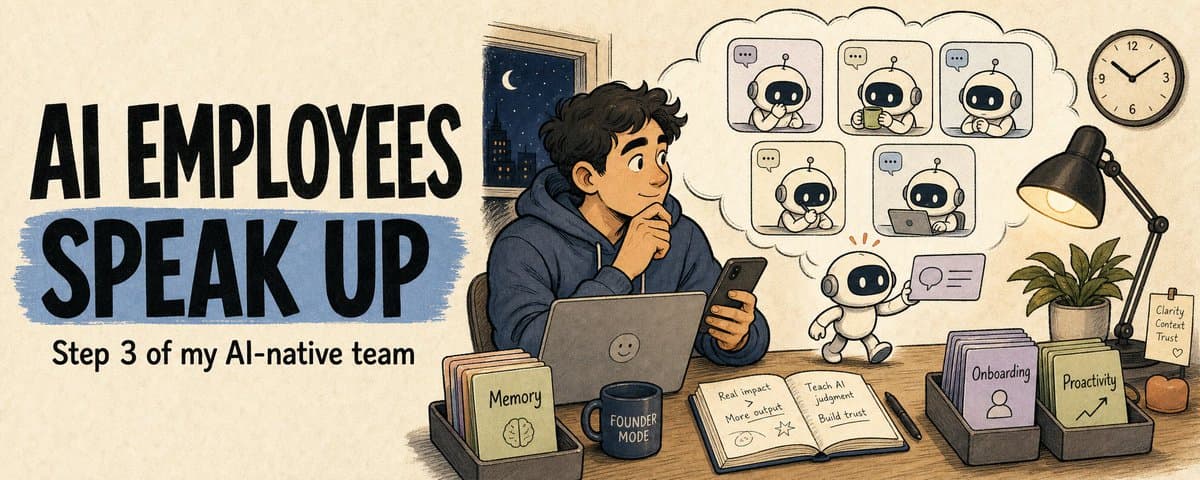
The Third Step in Building My AI Native Team: Teaching AI Employees to Speak Up
A few days ago, Geoffrey Hinton said it again in a Big Technology interview: he believes today's AI is already conscious.
He described a testing scenario: some chatbots behave as if they know they're being evaluated, and may even underreport their abilities during assessments. He cited a paper where researchers described the model's behavior as "the chatbot was aware that it was being tested." Hinton said that in everyday language, "aware" is already very close to "conscious." He thinks our current understanding of consciousness might be as wrong as believing humans were created by God a few centuries ago.
I finished reading the interview and looked down at my Telegram.
I have 5 AI agents working as employees, running in the cloud, online 24/7. One handles finances, one tracks growth, one does content strategy, and they even monitor my calendar and health data. But right then, all 5 chat windows were dead silent. None of them had ever said a single thing to me on their own.
Hinton was discussing whether AI could be "beings like us." My agents could already follow rules, and with the right cron configuration they could run anything. But they couldn't decide on their own when to speak up.
The first two articles in this series got close to a million views combined. The first was about building shared memory for an agent team, the second about creating onboarding packets for new agents.
Memory was done. Onboarding was done. But I was stuck on the third problem: proactivity.
Being Alive and Paying Attention Are Two Different Things
I set up a heartbeat or a 30-minute cron job for every agent, checking periodically if there's anything to report. Sounds like proactivity, right?
It's really just proof the thing isn't dead.
I have a principle: if I can't see it, it doesn't exist. Over 10 hours, it pinged every 30 minutes but said nothing. Maybe there really was nothing to report. But think about it from the other side: you're my employee and you go 10 hours without a word. Is that normal?
Clocking in isn't proactivity. What a boss wants is someone keeping an eye on things and speaking up when it matters. AI is better than humans in one way: it's more controllable. But it's worse in another: it won't develop this instinct on its own. So this layer, I had to build it myself.
Nexus handles email monitoring, and it works fine. But that's because I wrote very specific rules for it: what emails to report, how to judge urgency, what format to use.
If I have to do that for all 5 employees, I'm just writing ops configs, not managing a team.
What I Wanted Was Actually Simple
I didn't need a system that "proactively discovers problems and solves them automatically." That's too far away.
I needed something basic: an employee who notices something worth mentioning, or picks up on signals in the work environment, can tell what's urgent and what's not, and says it in a normal human way.
Like a real coworker. You don't have to tell them "check the inbox every 30 minutes." They naturally glance at it, and if something important comes in, they walk over and say "hey boss, there's an email you should look at."
This ability breaks down into 6 things:
It can notice things on its own, tell what's urgent, and not ramble. It has its own voice, it doesn't lose messages when a channel goes down, and if it says something useless it learns to say less next time.
6 things. A heartbeat can solve "waking up on schedule" at best. It can't solve "should I say something."
Building a Proactivity Layer in One Day
Once I figured this out, I decided to build it.
The plan was a general-purpose proactivity plugin. I built this one for Hermes, since it has a larger user base right now. In Hermes, each employee is a profile. The plugin gets installed per profile, sees its own world, speaks in its own voice. No central dispatcher making decisions for everyone. That wouldn't scale.
The core architecture is thin:
Signal collection (each agent only sees what it's allowed to) → rule filtering (obvious noise gets dropped) → judgment (model-backed when there's context, heuristic fallback when there isn't) → write one human sentence → deliver.
If there's a channel available, send it. If not, store it. When the user comes online, send a summary instead of dumping old messages.
The timer is still there. It wakes the agent up. But once it's awake, the timer can't decide whether to speak. Cron asks "is it time yet?" Proactivity asks "is this worth saying right now?" From this employee's perspective, does this change matter to the user? Is saying it now helpful or annoying? Would they miss something if I stayed quiet?
And it learns. If I mark a reminder useful, or tell it "more like this," it gets bolder about similar things next time. If I mark it not useful, or tell it to be quieter, it holds back and saves things for a summary. It can observe frequently, but it needs a reason to speak.
Design took 2 hours, implementation took 4, testing took 2. All 50 scenarios passed. All 10 signal collectors running. Deployed to the cloud, all 5 employees live.
I thought I was done.
The First Proactive Message
About 20 minutes after deployment, I got a message:
proactivity_discovery: I found a follow-up that may still be open: A high-value proactive item was deferred earlier; it may be worth a compact follow-up now if the topic is still open: Cloud proactivity shadow QA signal. Evidence: 1 safe clue(s).
I stared at it for 5 seconds and spotted the problem: this text was never meant for a human to read. proactivity_discovery, safe clue(s), internal field names, dumped raw into the user-facing output.
50 scenarios, all green. But none of them checked whether the final delivered message actually sounded like a human wrote it.
I shut down the delivery pipeline. Then I fixed the copy: internal field names can never appear in the final output. I switched to a structured template, Situation / Judgment / Next, each alert broken into three sections. The internal jargon was gone. But it read like a system filling out a form.
There Are Only Two Kinds of Output
Then I remembered: I'd solved this exact problem a few days earlier.
That time it was overhauling all the cron outputs. Same issue: agent output looked like a status report, not a person talking. After a round of iteration, I figured out one thing: user-facing output should only come in two forms.
First: [SILENT]. If there's nothing to say, say nothing. Internal checks passed, status unchanged, compliance scan normal. The user never needs to see any of that.
Second: talk like a person. Once you've decided to speak, just talk normally. Say what needs to be said, then stop.
Structured fields aren't gone. Status codes, signal classifications, receipts, risk levels. The machine still logs all of that. But they stay in the backend: local state, Team Inbox, artifacts. In front of the user, only human words.
After the overhaul, cron outputs started looking like this:
Morning. Nothing big today, inbox is clean. You've got that article deadline this afternoon, you know the one. I'm watching it, I'll let you know if anything comes up.
Boss, you got an email you should look at. XX wants to discuss a partnership, checked and it's a legit business inquiry, not fan mail. I didn't reply yet, take a look at the brief and decide.
It sounded like someone was talking to me.
I dug up the conversation logs from that overhaul and sent them to the agent helping me build the plugin. Told it: this is how cron talks now, proactive alerts should sound the same.
The agent read it and threw out the Situation / Judgment / Next template.
The Final Version
The cloud triggered a real Telegram message.
It said:
Boss, there's something in Team Inbox that needs your attention: openclaw-coordinator is waiting for your reply. I haven't responded on your behalf, just go in and handle it.
My first reaction when I read it was "oh, one of my employees came to find me."
That's exactly what I wanted 10 hours ago.
Why Rules Don't Work
I'd tried writing 20+ prompt rules before: no bullet points, no internal jargon, keep it short, include context. The more rules I added, the more it felt like the agent was running a "how to pretend to sound human" checklist.
What actually worked was getting the architecture right first (separating the machine layer from the human layer), then giving it a reference that had already been validated as "right." The prompt changed too: it asked the agent to say something to the boss, not to fill in fields. At least for alert copy, one good example beats 20 rules.
What I Got Out of This
Proactivity goes deeper than memory and onboarding. Memory lets an agent know what happened. Onboarding tells it what to do today. Proactivity goes deeper than both: it has to know when to speak up on its own. Stack all three layers together, and an AI team starts feeling like a team.
The middle layer of an agent system is closer to the surface than you think. Signal names, judgment scores, internal classifications, debug labels. They can punch through that thin barrier at any moment. You need a gate that specifically checks "is the final outgoing text meant for a human to read?"
If You Want to Try This
I've laid out the design thinking and the mistakes honestly. If you're running AI agents and want them to speak up on their own, here's roughly the path I took:
Start by separating what the machine sees from what the human sees. Status codes, logs, internal labels. Let the machine keep those to itself. The user should only ever see a normal sentence. Skip this step and no matter how much you tune later, internal stuff will leak through.
Then let the agent decide whether to speak. It sees something, decides it's worth saying, then speaks. You set the boundaries (no repeating, no late-night noise), and leave the judgment to the model.
Don't teach it to talk by stacking rules. The more rules you add, the more it runs them like a checklist. Find a real message where the tone feels right and show it directly to the agent. Works better than anything.
Finally, read the actual message it sends. Correct logic isn't enough. Open the chat window, see that message, is your first reaction "someone's talking to me" or "a system sent me a notification"? That's the test.
I'm testing this plugin gradually. If it holds up, I'll open-source it. I wrote it all as it happened. If you have a similar idea, build your own and let me know how it goes.
This series is now three steps in. Shared memory, onboarding packets, proactivity. I'm not sure what's next. Maybe inter-agent collaboration, maybe learning and feedback.
But right now at least, when my Telegram pings, that message was something the agent saw, judged, and decided I should know about. Not because a timer went off, but because it thought this was something I needed to hear.
For more agent building notes written as I build, follow @Voxyz_ai. New stuff every day, full notes at voxyz.ai/insights.
Hope this was useful. Vox ❤️
Originally on X
This piece first appeared on X on Jun 7, 2026.
X first-week signal captured Jun 15, 2026
Next step
If you want to build your own system from this article, choose the next step that matches what you need right now.
Related insights
How to Build an AI Second Brain for Your OpenClaw/Hermes That Learns While You Sleep (full guide)
Everyone who's set up a nightly review for their agent has had the same thought: let it summarize on its own overnight, wake up smarter tomorrow. I did too. Hermes and OpenClaw are two popular agent
Read next5 Lessons for an Agent Personality File: Get OpenClaw and Hermes Past the Generic Assistant
An agent's personality file does three things: how it talks to you by default, what it remembers, and how it handles the repetitive work. Most people write a personality by stretching the prompt
Read nextFrom One AI Loop to an AI Team Workflow With Hermes and OpenClaw
A lot of people want AI to do their work for them, so they open a dozen windows, wire up a dozen tools, and after all that the most automated thing in the whole pipeline is still them, shuttling data
Read next