
From One AI Loop to an AI Team Workflow With Hermes and OpenClaw
A lot of people want AI to do their work for them, so they open a dozen windows, wire up a dozen tools, and after all that the most automated thing in the whole pipeline is still them, shuttling data
Written by
Voxyz AI
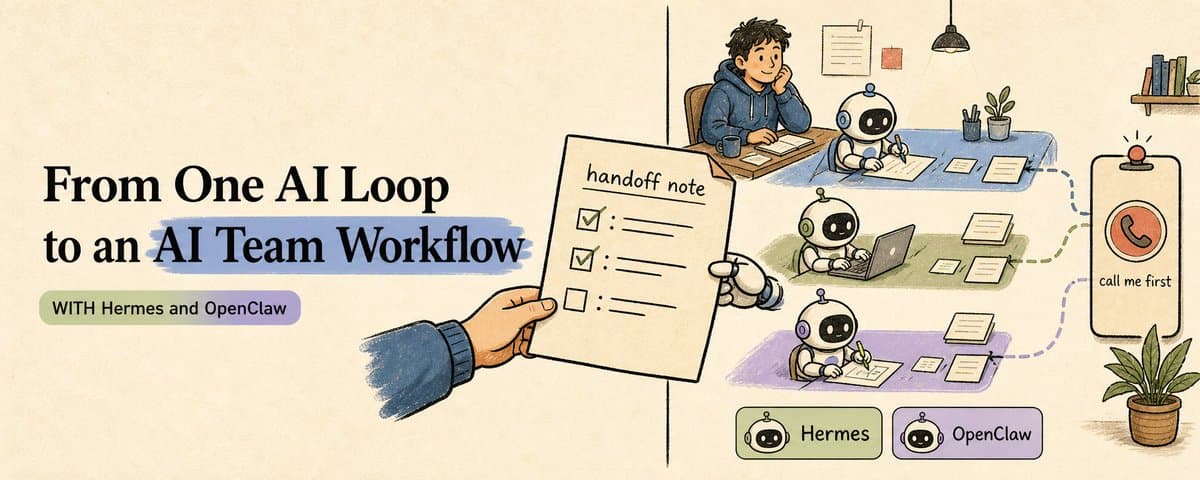
A lot of people want AI to do their work for them, so they open a dozen windows, wire up a dozen tools, and after all that the most automated thing in the whole pipeline is still them, shuttling data between windows by hand. The bottleneck is almost always the handoff: one loop (a small process that wakes itself on a schedule and does one narrow job) finishes, and now its output has to reach the next loop cleanly. This Article is about how to keep that simple on Hermes and OpenClaw, so you stop being the human conveyor belt in the middle. This Article assumes you already have one loop running. If you don't, read my last piece first, where I walk through building the first one. Today is about wiring several of them into a team. Think of that handoff note as the one you'd leave a coworker before a trip. A handoff you never wrote Picture leaving early tomorrow for a trip. Your work has to go to a coworker who's covering for you. You don't write anything down. On your way out you just dump a pile on them: this customer is still waiting on a reply, that bug isn't fixed, billing is due this week, oh and don't forget to follow up on the partnership. You land, and the calls start. They can't tell what's most urgent, so they knock out the things that could have waited and let the urgent ones sit. One thing they're unsure about, they just decide for you, and they get it wrong. The failure is the handoff.
AI loops are the same. If the second loop can only reread a whole transcript to continue, it's like making your coworker scroll through a week of your chats and guess what matters now. It might piece together the gist, but it's just as likely to drag back a decision you killed days ago. What goes on the note A good handoff doesn't recap your whole week of work. It says three things: where things stand now what to do next when to call me That's what a handoff packet does in an AI workflow. I went deep on it last time, so here I'll just show the shape: the same three things, spelled out, fixed into seven lines. Filled in, it looks like this: Goal: keep the inbox triage loop going. Current state: 43 new messages, 8 likely need replies, 3 look urgent. Source chain: inbox export, customer priority list, current product constraints. Decision needed: which urgent thread is worth a human reply first, my call. Recommended default: group messages into billing, bug, partnership, and noise. Risks / do not do: don't send replies for me, don't promise timelines, don't expose private data. Next action: write one triage packet for the reply-draft loop. One packet is the smallest state the next runner needs to pick things up.
"Call me" is the approval gate The coworker covering for you can draft, organize, push things forward. But for anything that goes outside, touches money, or can't be undone, they don't decide for you. They call first. AI works the same way. An agent can draft, check, organize, package. The moment it touches the outside world it stops: posting, DMs, billing, deleting, production changes, promising a customer a date. All of it waits for a human. One caveat: that gate is yours to set. The built-in approvals in Hermes and OpenClaw mostly cover command execution and tool permissions. Posting, DMs, billing, those you have to write into your tool permissions and your prompt as a hard stop. The platform won't catch them for you automatically. The rule looks conservative, but it's exactly what lets the team behind it run on its own. Every loop knows where it stops.
One baton at a time When you're away, the work moves one baton at a time: the first person finishes their stretch and writes it into a handoff note; the next person doesn't dig through the raw material, just reads the note and carries on. Each person does one stretch, and nobody has to replay what was in someone else's head. That's exactly what an AI loop team looks like: one loop finishes a stretch and leaves a packet; the next loop reads only that packet and keeps going. The work moves, and that handoff note is the baton. What the team looks like running Picture yourself away on a trip. You haven't even checked your phone yet, and a few loops have already run a stretch of the relay for you, with one decision left waiting: 9:00 inbox triage loop wakes: 43 new emails, sorted into billing / bug / partnership / noise, leaves a triage packet 9:10 reply-draft loop wakes: reads only that packet plus the reply rules, writes 3 reply candidates, stops for your call 9:30 you glance: approve 2, kill 1, write the decision back into the packet 9:31 digest loop wakes: sums up what got handled and what's left in one line, drops it into the brief you read this afternoon All you spent was those two minutes at 9:30. The other three steps were loops reading the previous note and moving on. There's no all-knowing mega-agent on this line. Three loops, each doing one small thing, passing notes, keeping you out of everything except the one place you're needed: the two minutes where you decide. That's an AI team workflow.
Wiring it on Hermes and OpenClaw How you wire up that handoff note depends on which one you use. On Hermes: a profile is its own home, with its own config, memory, sessions, skills, and cron. One profile can hold several cron jobs, and each job is one loop on the team. You only spin up a separate profile when a loop needs its own identity, its own memory, or its own tool boundary. The catch is also the foundation of this whole piece: a Hermes cron job wakes up in a fresh session, with no memory attached by default. It doesn't inherit the last chat, and you shouldn't assume it can read its own last run. So "what happened upstream" either goes into the packet you hand over, or you use cron's built-in context_from, which feeds the downstream job the upstream job's most recent output. At this layer, the handoff note is baked into the mechanism. On OpenClaw: you can schedule with --at, --every, --cron. What matters more is the session mode: isolated is a fresh session every time, good for passing batons through packets; current or session: keeps context, good for recurring work where you want the history to build up. Pass --tz explicitly when you schedule. Don't leave the timezone to the machine's default. Either way the premise is the same: a resident process has to stay up watching the clock (the gateway / daemon layer), or the schedule never fires and the loop has no heartbeat. The tool is just where it runs. Only one thing actually changes: one AI loop becomes an AI team workflow. What connects the loops is always that handoff note.
Build your own That packet gets filled fresh at each handoff. This job sheet is a different thing: it's set once, up front, for each loop, spelling out what it can read, what it produces, who it hands to, and when it stops: Loop name: inbox triage Trigger: Monday 09:00 Europe/London (include the timezone) What this loop may read: inbox export, customer priority list, product constraints What this loop must produce: one triage packet grouped by billing / bug / partnership / noise What the next loop receives: only this triage packet and the reply rules What it must not touch: sending email, promising timelines, private customer data When it stops for a human: before any reply goes out, or before any escalation You recognize every field. The hard part is filling them. Fill them well and you actually save time; fill them sloppily and you've just moved the mess somewhere else. The time savings live in how you fill these three: Keep the output narrow enough to say in one sentence. What it must produce gets one job. If you can't say it in a sentence, split it into two loops. A narrow loop you can leave alone; a loop that tries to do everything turns into a black box you have to keep watching. The seam is where the design work is. What the next loop receives is the part you actually design. Get the packet you hand off clean, and each loop can stay dumb. Most people do the opposite and pour their effort into making a single loop clever. Stop at the one irreversible step. When it stops decides how often it pulls you in. Stop too often and you're back to watching it; stop too rarely and it does something you can't take back. Put the gate exactly at the irreversible, outward-facing step, and you only show up for the two minutes that need you. Last time was about writing that first loop into a sheet and getting it stable. Get these three right today, and you can add a second sheet and a third, each one reading only the previous packet and looking up only the few sources it points to, never rescanning the whole pile. When to start the next workflow Let the first workflow run clean for a week. If it still needs you to re-explain the background every time, don't start a second one. If any baton's packet is unreadable to a human, go back and fix that baton first. Only when a workflow can relay itself for days without you stepping in can it carry a second. A second workflow is different work, same shape: a few narrow loops, passing packets, stopping at your call. A daily content brief, bug triage, a morning research digest, they all fit the same mold. Don't try to lay down five at once. Get one into muscle memory first. To close An AI team, in the end, is just a few loops each doing one small thing, lined up in a relay, handing off through notes. A smarter helper helps, sure. But what actually makes the team run is that every baton spells out the same three things: where things stand, what to do next, and when to call you. If this was useful: → Repost it to a friend whose loops keep tangling up → Bookmark this seven-line handoff note as a template Everything I'm writing as I build: voxyz.ai/insights.
Originally on X
This piece first appeared on X on May 29, 2026.
X first-week signal captured Jun 6, 2026
Next step
If you want to build your own system from this article, choose the next step that matches what you need right now.
Related insights
The Third Step in Building My AI Native Team: Teaching AI Employees to Speak Up
A few days ago, Geoffrey Hinton said it again in a Big Technology interview: he believes today's AI is already conscious. He described a testing scenario: some chatbots behave as if they know they're
Read nextHow to Build an AI Second Brain for Your OpenClaw/Hermes That Learns While You Sleep (full guide)
Everyone who's set up a nightly review for their agent has had the same thought: let it summarize on its own overnight, wake up smarter tomorrow. I did too. Hermes and OpenClaw are two popular agent
Read next5 Lessons for an Agent Personality File: Get OpenClaw and Hermes Past the Generic Assistant
An agent's personality file does three things: how it talks to you by default, what it remembers, and how it handles the repetitive work. Most people write a personality by stretching the prompt
Read next