
Here's what an agent report people actually read looks like
Picture this: your alarm goes off. You give yourself 10 minutes to ease into the day. You grab your phone and start scrolling to zone out for a bit. The screen lights up. Your AI assistant has sent
Written by
Voxyz AI
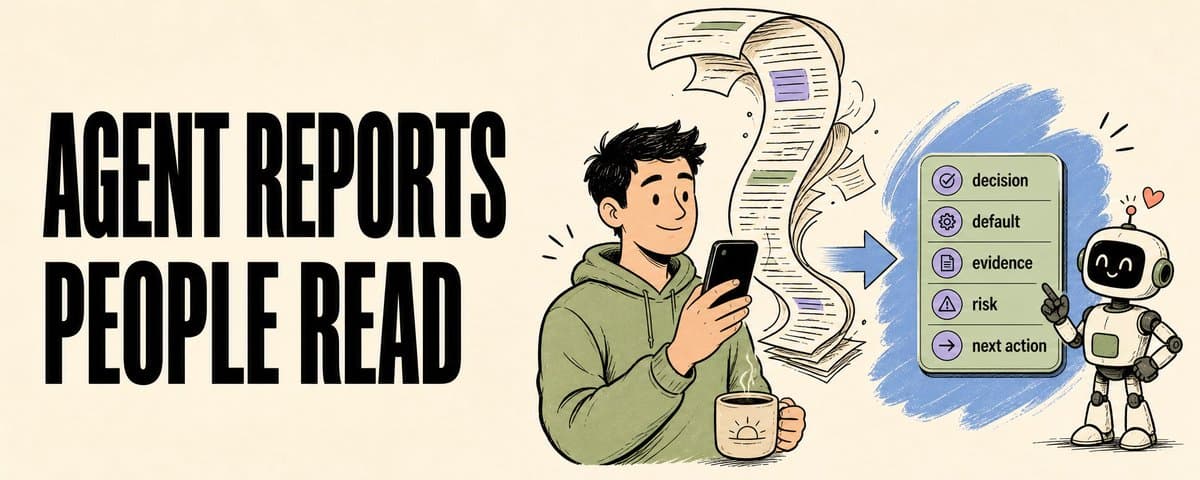
Picture this: your alarm goes off. You give yourself 10 minutes to ease into the day. You grab your phone and start scrolling to zone out for a bit. The screen lights up. Your AI assistant has sent you a 2,000-word update: what it did yesterday, what it looked at, where it got stuck. There's no way you're reading all of that in 10 minutes. You scroll to the bottom and never see a clear "this is what I need from you" line. You're more annoyed than you were before the alarm went off.
The message never told you, on the first screen, what you're supposed to do next. I used to live this every day. One of my AI assistans is called X Manager. It runs on a schedule and watches X (Twitter) for me: scans the timeline, checks replies, tracks key accounts, drafts posts. Once a day it dumps everything it did into Telegram. About 2,000 words. At some point I caught myself wanting to ask a second AI to summarize what the first AI had just sent me. Lol. Same problem as that morning alarm-clock message: a chunk of background, a chunk of process, a chunk of what it "thought", and only at the very end the thing I might actually need to do. Probably not what you wanted out of your assistant either. A few days ago I wrote a piece called I tried letting my scheduled agents deliver only HTML, and I'm not going back, about how I changed my agent's delivery format: from a wall of Markdown in Telegram to a one-line ping plus an HTML report you can open in the browser. After a few days of running it, the result was surprisingly good. My eyes stopped being the bottleneck. But a deeper problem surfaced: HTML made the report readable, but it didn't answer "what am I supposed to decide?" Today is about the more complete report contract. And the same rule generalizes to agents that make images, not just text. The first screen has to answer: what decision am I being asked to make? My rule now is simple. The first screen of the report has to tell me two things: what decision I need to make, and what default the agent recommends. Everything else gets pushed down. There's a ready-made reference for this rule. When programmers review code, they use a format called a pull request (PR for short). A PR is basically a short worksheet handed to the reviewer: Verdict: should this change get approved, rejected, or sent back for edits? What changed: what's different compared to the last version? Tests / evidence: what did you actually check? Risks: under what conditions would this change go wrong? Reviewer action: approve, pick an option, hold off, or supply more info?
I want the report my agent sends me to look like this. With those five fields laid out, I can scan for 5 seconds and know what to do. Whether I read the full report after that is a separate question. The longer the task runs, the more this matters. An agent that runs for 20 minutes can hand me a beautiful pile of context, and I'm still left with the hardest step: figuring out what all that context is supposed to make me decide. The checklist my agent runs on now Concretely, every X Manager report now has to pass these seven checks: What needs deciding. The opening line spells out the exact decision I'm being asked to make. For example: "should we post that draft tweet at 14:00 today?" Recommended default. Give one recommended answer. Throwing five equivalent options back at me is the same as pushing the decision back to me. What changed since last time. What's different between this run and the previous one. Where the evidence comes from. Every claim has to point at a source: which file, which run, which time window, which screenshot, which external link. Where this could go wrong. What would make this recommendation wrong. Where the full version lives. A durable location for the detailed material. It can't just sit in chat. What it needs from me next. The closing line tells me what I should reply with. That last one sounds tiny, but it changes the most. Once an agent is required to spell out "what it needs from you next", the kind of ending that says "I did a lot of work, please take a look" stops working. It has to compress everything it did into a specific ask: should I hit approve, choose A or B, supply some missing info, or tell it to keep waiting? Funny enough: this article is its own evidence I asked X Manager to help me prep the material for this piece. Around noon it sent me a report. The first screen laid out three options: A) lead with the PR analogy as the main thread, B) embed the 7-point checklist as the practical tool, C) don't write anything today. I took 3 seconds to pick A + B, and went back to doing something else.
That's what useful agent output looks like. It packages all its work into a specific question I can answer in a few seconds. Image generation: 12 in a batch, I pick one The text-report logic carries straight over to image generation. The result was better than I expected. Lately I've been getting the agent to make content images for me (covers, quote-tweet visuals, in-article illustrations). The early approach was to ask it for "the best one". Every time I looked at the output I wasn't happy. Either I'd tweak the prompt and ask it to redraw, or I'd just do it myself. Now my X Manager pipeline hands the image step over to Codex's image generation tool (if you're on OpenAI models, OpenClaw can call it directly, no separate API wiring needed). It produces 10 to 12 images in one batch, drawing them one after another in series. A few minutes later a zip drops into my outbound directory and I pick one. The serial run isn't fast, but the wait doesn't matter. I'm writing this article, processing output from other cron jobs, drinking coffee. It runs in the background and has the 12 images packed up by the time I get back. The experience shifts from "waiting for one that might be right" to "picking one from a set already in front of me".
Same shape as the PR checklist: the agent hands me something I can review, pick from, decide on. The final call stays with me. The next step is to make it a little more proactive. Have it tag the candidates directly: "use #4 as the cover, #7 as the quote-tweet visual". Put the recommended default on the first screen, too. What this looks like for other repetitive tasks Text reports and image generation both fit. The same shape applies to any "runs repeatedly, needs human review" task. A few scenarios I can think of: Customer support / feedback triage. Let an agent run through today's support tickets. The first screen tells you: "3 need an immediate refund, 5 can be redirected to the FAQ, 1 needs your call on whether to escalate". The full filtering logic goes into the artifact. Resume screening. Let an agent go through today's 30 applications. The first screen tells you: "top 3 are interview-worthy, 5 need you to confirm role fit, the remaining 22 default to skip". Per-resume reasoning lives in the HTML report. Inbox triage. Let an agent go through the overnight email. The first screen tells you: "2 need a reply today, 3 need a reply this week, the rest have been archived". GitHub / Linear notification backlog. The first screen tells you: "3 reviews are blocking someone else's deploy, 1 PR needs your approval, the rest don't block anything". Personal finance / billing anomalies. The first screen tells you: "3 expenses this month exceeded expectations, 1 looks like a duplicate charge worth calling the bank about". Every one shares the same shape: what's the decision + what's the recommended default + where the rest lives.
By the time I got here writing this, I was already thinking about what other parts of my day could use this shape. Write your agent reports this way, and you'll actually open them. Everything I'm writing as I build: voxyz.ai/insights.
Originally on X
This piece first appeared on X on May 21, 2026.
X first-week signal captured May 29, 2026
Next step
If you want to build your own system from this article, choose the next step that matches what you need right now.
Related insights
The Third Step in Building My AI Native Team: Teaching AI Employees to Speak Up
A few days ago, Geoffrey Hinton said it again in a Big Technology interview: he believes today's AI is already conscious. He described a testing scenario: some chatbots behave as if they know they're
Read nextHow to Build an AI Second Brain for Your OpenClaw/Hermes That Learns While You Sleep (full guide)
Everyone who's set up a nightly review for their agent has had the same thought: let it summarize on its own overnight, wake up smarter tomorrow. I did too. Hermes and OpenClaw are two popular agent
Read next5 Lessons for an Agent Personality File: Get OpenClaw and Hermes Past the Generic Assistant
An agent's personality file does three things: how it talks to you by default, what it remembers, and how it handles the repetitive work. Most people write a personality by stretching the prompt
Read next