
How I run my AI team's simplest loop with OpenClaw and Hermes
This article is about how I run a minimal AI team loop with OpenClaw and Hermes: one agent wakes up on schedule, reads a small slice of state, does one narrow job, leaves a packet I can review, and
Written by
Voxyz AI
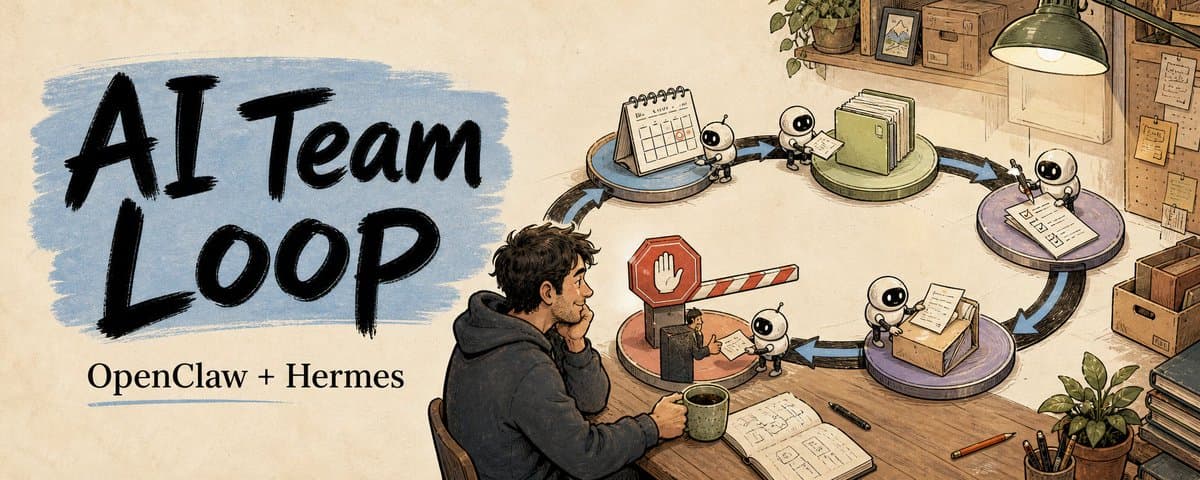
This article is about how I run a minimal AI team loop with OpenClaw and Hermes: one agent wakes up on schedule, reads a small slice of state, does one narrow job, leaves a packet I can review, and stops where I need to decide. It's the steadiest piece of automation I run right now. If you want an AI team to actually start working for you, this is where I'd start. Quick glossary (a 10-year-old could follow) agent: an AI helper that does what you tell it to do. loop: a small process that runs itself, again and again, on cue. schedule: the agent's alarm clock. Tells it when to wake up and work. source of truth: the one file you trust as the latest, most accurate record. That's the only one to check. review packet: the small report the agent leaves for you. Open it, decide, done. artifact: the file the agent leaves behind. The next agent reads it to pick up where the last one stopped. handoff: the note the last agent leaves for the next agent. Like a shift handover. swarm: a crowd of AIs running at once, talking to each other. The flashy multi-agent stuff. prompt injection: someone slips a sentence into a webpage to trick your AI into doing something bad. The six parts of the minimal loop schedule → small source of truth → one job → review packet → next prompt → human decision
Of the six, schedule matters most. It decides whether the loop is a one-off prompt or something that actually runs on its own. OpenClaw and Hermes both ship with scheduled tasks. Hermes lets you create them in plain English: "every morning at 9, read yesterday's state notes and give me a direction brief" is enough. OpenClaw uses --at / --every / --cron flags. Either way, you don't have to set up GitHub Actions or system cron. The catch: the Gateway/daemon has to keep running. Schedule is the daemon ticking. Get this part right and the loop has a heartbeat. The other five: small source of truth: read one small slice of context. One state file, one issue, one customer folder, one draft. If the agent has to read the entire archive to do its job, the task is probably too wide. one job: a narrow task you can describe in one sentence. Pick a direction. Lock a title. Group complaints. Review a draft. Build a research ledger. review packet: produce a file someone else can review. Not a chat log dumped on the next person. next prompt: tell the next agent what to pick up and what not to touch. human decision: approve / redirect / hold. The last step always belongs to a human. The parts aren't complicated. The hard part is keeping each one minimal. The one I keep coming back to I've tried a lot of agent setups. The one that runs steadiest, the one I open every day, is always this minimal loop. It doesn't make decisions for me. It does the part I'd otherwise re-explain every day: read yesterday's state, prepare a packet I can decide on the moment I open it. It's not about running a swarm. One agent + one schedule + one artifact is enough to start. You can stack multi-agent collaboration, tool calls, review chains on top. Underneath, the minimal loop is always there. What you should aim for at the start isn't an AI team that runs the company for you. It's a flock of small loops that each know when to wake up, what to read, what to do, and where to stop. Each one is one less briefing you'd have to give. When enough loops are running, you finally have time to think about what's next. Artifacts beat chat logs Before, when I had AIs hand off work, every next AI had to re-read a long chat and guess which instruction was the latest and which had already been overturned. Now every stage opens with the same seven lines: Decision needed: Recommended default: What changed: Evidence/source chain: Risks/guardrails: Approval boundary: Next action: That tiny block does more than a long status report: it says what changed, what to trust, what might be stale, and where automation has to stop. Reading chat is guessing the state. Reading an artifact is picking it up.
A template you can copy If you want to run one today: Loop name: [one recurring task] Trigger: [when it starts] Read: [one small source of truth] Task: [one narrow job] Write: [one reviewable artifact] Handoff: [what the next step needs] Owner decides: approve / redirect / hold Stop if: [risk boundary] Here's weekly customer feedback filled in: Loop name: weekly customer feedback digest Trigger: Monday 09:00 Europe/London Read: support records from the past 7 days Task: group repeated complaints into 3 patterns Write: one Markdown decision packet Handoff: prompt for the product agent to draft fix options Owner decides: which complaint deserves a roadmap slot Stop if: it requires putting unredacted customer quotes into a shareable packet Once one runs cleanly for a week, add a second. Don't spin up five loops at once. What a loop looks like when it's running Back to that weekly customer feedback digest. Monday morning: 9:00 schedule fires, agent wakes up. 9:00 reads: support records from the past 7 days (46 tickets, 3 Discord complaint threads). 9:02 one job: group repeated complaints into 3 patterns. 9:04 writes packet: each pattern has 2 direct quotes, occurrence count, first/latest timestamp. 9:04 Handoff: "Of the 3 patterns, #1 appeared 17 times across payments + login. Suggest tackling it first." 9:04 Owner decides. What I see on my phone isn't 46 ticket screenshots. It's one sentence ("#1 appeared 17 times, suggest tackling it first") plus a packet I can decide on right away. Keep this loop steady and you save yourself one "what are customers complaining about lately?" meeting a week.
When two or three loops chain together Once the first loop runs smoothly, the next move usually isn't to make it bigger. It's to chain a second loop behind it. Chained: one artifact feeds the next loop Picking up from the customer feedback above: [Mon 9:00] customer feedback loop → finds 3 patterns → packet A ↓ handoff: "suggest tackling #1 first" [Mon 9:30] product brief loop → reads packet A + roadmap state → drafts 3 fix candidates for #1 → packet B ↓ handoff: "after owner picks a fix, write it back into packet B's decision field" [owner picks] I pick fix #2 → triggers research loop → finds historical context, similar implementations, risks → owner brief Three agents in relay turn "raw customer quotes" into "is this roadmap item worth moving today." Each agent still does one narrow job. The previous packet carries the context for it.
Nested: one big loop wraps several small ones Chaining is one shape. Another: an outer loop runs the skeleton. Inside it, several micro-agents fan out, each looking up one thing. At the end, everything synthesizes into one report. [Daily 9:00] daily priority brief loop ├── reads: yesterday's carry-over + today's calendar ├── for each carry-over item, spawns one micro-research agent │ └── each looks up one thing: where it stalled, any new progress └── synthesizes all micro-replies into one morning brief Each micro-agent still does a narrow job: read a small slice, answer in one line. What I see is still one short report, not five chat sessions. Two iron rules Each loop is still one agent + one narrow job you can describe in one sentence. Chained together, each agent does less, not more. The entry point to chaining or nesting is always the last loop's artifact. Chat context doesn't count. Worst anti-pattern: one agent doing the whole pipeline. All the context piled on it, no handoff, no artifact. Back to a chat black box. What's worth automating first Low-risk, repetitive things that someone was already going to eyeball: a daily content direction brief a weekly customer feedback digest a bug triage summary a single-topic research brief a sales lead review for the owner Easy test: was someone already going to eyeball this? If yes, loop it. A loop is for shortening the handoff, not for hiding the decision. The stop rule Every loop needs a stop rule. Mine is short: if the next step is public, external, billing, destructive, or hard to reverse, the agent stops and waits for a human. Agents can draft, inspect, package, hand off. They don't post tweets, contact customers, touch billing, or take public actions for me. This boundary isn't for show. It's what lets me leave a loop running and not worry. The loop knows where it has to call me in.
What about cheaper models? Yes, but check one thing first: does this loop read untrusted external content? Email, web pages, third-party webhooks, text users submit. If any of those, the agent is in prompt injection range. Cheaper models are weaker against injection. Don't save tokens at the safety boundary. The cheap steps of a loop can run on cheap models. The "reads external content" step still wants a strong model plus a strict sandbox. Which one to start with Ask yourself: of all the things you re-explain every day or every week, which one could fit those six parts? Pick it. Get the first loop steady. The second agent waits until you actually need it. If you really don't feel like reading this, or it still doesn't click, hand this article to your agent. It'll handle it. If this was useful: → Repost it to a friend who's still trying to spin up 8 agents at once → Bookmark it as a loop template checklist Everything I'm writing as I build: voxyz.ai/insights.
Originally on X
This piece first appeared on X on May 28, 2026.
X first-week signal captured Jun 5, 2026
Next step
If you want to build your own system from this article, choose the next step that matches what you need right now.
Related insights
The Third Step in Building My AI Native Team: Teaching AI Employees to Speak Up
A few days ago, Geoffrey Hinton said it again in a Big Technology interview: he believes today's AI is already conscious. He described a testing scenario: some chatbots behave as if they know they're
Read nextHow to Build an AI Second Brain for Your OpenClaw/Hermes That Learns While You Sleep (full guide)
Everyone who's set up a nightly review for their agent has had the same thought: let it summarize on its own overnight, wake up smarter tomorrow. I did too. Hermes and OpenClaw are two popular agent
Read next5 Lessons for an Agent Personality File: Get OpenClaw and Hermes Past the Generic Assistant
An agent's personality file does three things: how it talks to you by default, what it remembers, and how it handles the repetitive work. Most people write a personality by stretching the prompt
Read next