
I Tried a Ton of Claude Code Subagents. These 10 Are the Ones I Kept.
Each one comes with the full file. Copy them into .claude/agents/, add a master rule, restart your session, and they work. You've probably run into this: Claude Code is too eager. It edits the wrong
Written by
Voxyz AI
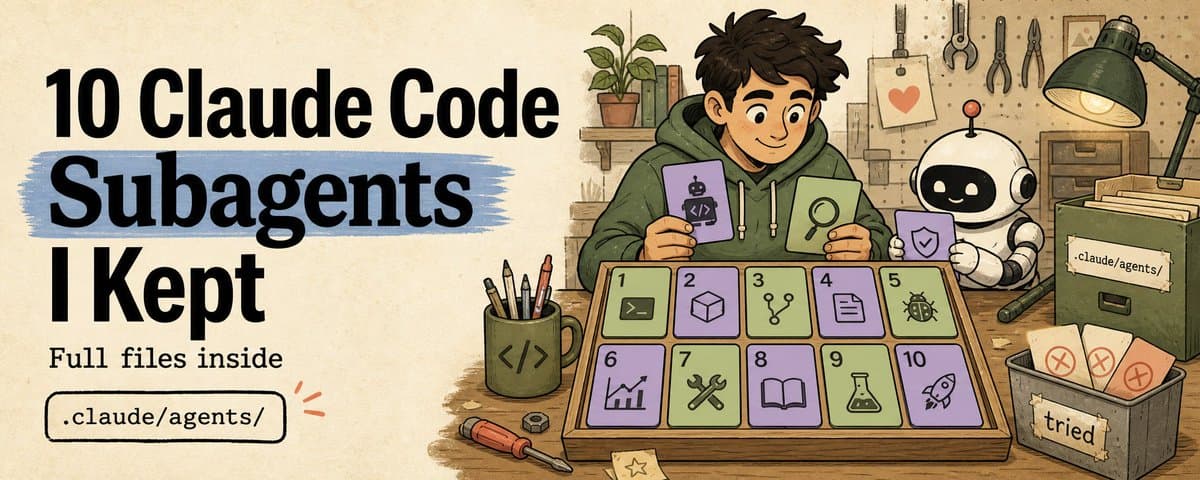
Each one comes with the full file. Copy them into .claude/agents/, add a master rule, restart your session, and they work. You've probably run into this: Claude Code is too eager. It edits the wrong files, skips tests, guesses its way through debugging, declares "done" too early. I keep 10 subagents in my .claude/agents/ to fix exactly these problems. Examples below use Claude Code. Codex can adopt the same role design: project rules go in AGENTS.md, custom agents go in .codex/agents/, reusable workflows become Agent Skills. Claude Code auto-delegates based on description; Codex leans toward explicit triggering.
5 of the 10 are starred: Only Touch What's Asked, Prove It Works, Second Eyes, Reproduce First, and Merge Gate.
- Only Touch What's Asked ⭐ The pain: You ask Claude to add a button, it refactors the entire page layout. You ask it to change an API response, the diff picks up five "while I'm at it" files. One job: Complete the current task as specified. Don't touch anything outside the boundary. Must hand back: Which files changed and why, what tests ran, problems noticed but not fixed (left for the next agent). When to stop: A file appears in the diff that the task didn't cover. Stop first, explain why the scope needs to expand.
This self-check is the easiest of the ten to break. Claude Code's default behavior is to fix anything it sees, so the file has to be blunt about it. 2. Prove It Works ⭐ The pain: Claude says "done," but tests didn't run. Or it adds a test file that doesn't even execute and tells you "tests added." More common: all existing tests pass, but none of them cover the code that just changed. One job: Prove the recent changes actually work. Must hand back: Which tests were added or updated, what commands ran, pass or fail, which risks aren't covered and why. When to stop: Tests written but never executed = blocked. Can't run them but didn't explain why = also blocked.
Its tests are sometimes too shallow, assertions too broad, or happy-path only. 3. Second Eyes ⭐ The pain: Claude writes the code, then tells you it looks fine. The rule: Review only. Never modify. Must hand back: Findings sorted by severity. Each includes file and line number, what's wrong, and whether to fix or accept. When to stop: Starts editing code = blocked.
Trick: the tool list deliberately excludes Write and Edit. Without write access, it can only put findings in the receipt for "Only Touch What's Asked" to fix. The one that reviews only finds. The one that executes only fixes. 4. Reproduce First ⭐ The pain: Claude sees an error and starts editing. The symptom disappears, the root cause stays. Three rounds later it might be fixed, or it might be worse. The workflow: Reproduce, locate, minimal fix. Must hand back: Reproduction command, failure output, root cause evidence, the minimal fix, and the same command's result after the fix. When to stop: Changed code without reproducing first = blocked. Didn't run the same verification command after = also blocked.
The most straightforward self-check of the ten: run once before, run once after, same command. If they don't match, stop. Debugging becomes an experiment with a hypothesis, a control, and a result. The four above are the most used day-to-day. Merge Gate (#10) should also be on by default. The five in between are inserted as needed. 5. Security Gate The pain: Claude changed login, permissions, payment, or secrets. It went to production. Things broke. Scans sensitive areas for high-risk issues. Trigger words: auth / login / permission / payment / webhook / token / secret / env / user data. If it finds a secret leak, permission bypass, or duplicate charge risk, it stops immediately. Merge Gate cannot override a Security Gate block.
Map First The pain: Claude starts editing before it understands the project. Edits the wrong file. Read-only. Tells you where to make changes. Hands back entry files, call chains, test locations, high-risk areas. No Edit or Write in the tool list, any write operation = blocked.
Break It Down The pain: You say "add an export feature," Claude starts coding immediately, gets halfway through and misses the database, permissions, frontend state, and tests. Splits big requirements into small tasks. Writes no code. Hands back an ordered task list, each with dependencies, target files, and acceptance criteria. Starts writing code = blocked.
This is different from Claude Code's built-in Plan mode. Built-in Plan mode does codebase research; this one breaks a big requirement into verifiable subtasks. 8. Check the Ripple The pain: Backend response changed, frontend types didn't. Env changed, deploy config didn't. Schema changed, migration didn't. Checks "who does this change affect." Did upstream inputs change, did downstream callers follow, are types / schema / API docs in sync. Contract changed but caller didn't follow = blocked.
- UI Walkthrough The pain: Claude says the page is done, but buttons are misaligned, loading isn't handled, empty states are missing, mobile is broken. Walks user paths to verify the page. Hands back state checks (loading / empty / error / success), mobile issues, a11y issues. Only tested the happy path = blocked.
This agent works best with Playwright / Browser MCP / screenshot tooling. Without browser tools, it can only do static UI review and shouldn't pretend it tested the actual page. 10. Merge Gate ⭐ The pain: Claude finishes a task and says done, but evidence is scattered everywhere. No one can tell if it's actually ready to merge. One job: Collect all evidence. Give a final verdict. Must hand back: Is the requirement met, is the diff clean, did tests run, did review pass, is security blocked, do docs / migration / env need syncing. Final verdict: ready or blocked. When to stop: Any upstream agent blocked = this can't override it. Evidence incomplete = can't say ready.
One rule across the entire chain: any agent outputs blocked, the current step stops. Blocked doesn't mean the task failed. It means the problem gets sent back to the specific step. If it's auto-fixable, the main session dispatches the right agent to fix it and re-review. If it needs product judgment, permission decisions, or security review, it stops and waits for a human. ready / blocked is a receipt protocol I defined for this set of agents. Claude Code doesn't have these status codes built in. When your main session or workflow script reads blocked, treat it as a hard stop. A Complete Chain One chain that actually ran: Requirement: "Add a batch export endpoint to the API" Map First (#6) runs first. API routes in src/routes/, 12 existing endpoints Data layer in src/services/, 78% test coverage Auth middleware has CODEOWNERS protection, don't touch Break It Down (#7) takes the map, splits into three tasks: Task 1: Add /api/export route + service Task 2: CSV/JSON format conversion Task 3: Permission check + rate limit Only Touch What's Asked (#1) executes Task 1. Diff touched 2 files. Receipt clean. Prove It Works (#2) picks up. 4 new tests, all passing. Coverage: normal export, empty data, large dataset pagination, unauthorized 403. Second Eyes (#3) reviews the diff. Finding: service doesn't handle memory for very large datasets. Severity medium. Recommends pagination cap. Only Touch What's Asked fixes it. Adds pagination cap at 10,000 rows. Prove It Works adds pagination boundary test. Passes. Second Eyes re-reviews. Passes. Task 3 touches auth middleware. Security Gate (#5) triggered. Finding: export endpoint has no rate limit. Blocked. Only Touch What's Asked adds rate limit. Verification passes. Security Gate re-reviews. Passes. Unblocked. Check the Ripple (#8) scans. API type definitions in sync Env example doesn't need changes Frontend SDK export type needs updating → Blocked Only Touch What's Asked updates frontend types. Check the Ripple re-reviews. Passes. Unblocked. Merge Gate (#10) aggregates. All receipts ready. Two blocks resolved in subsequent rounds. README updated (new endpoint + rate limit notes). Output: Ready to merge. The orchestrator is the main Claude Code session, reads one receipt, then dispatches the next. You can step in at any point, or let it run and check the verdict at the end. Note: subagents don't inherit the main session's full conversation history. Each step, have the main session pass the previous receipt and relevant context explicitly to the next agent. Getting Started
Save each code block above as its corresponding .md file. Then add a master rule to your project's CLAUDE.md:
Restart your Claude Code session. Claude auto-delegates based on each file's description field. When auto-delegation isn't reliable, @ the agent directly:
For agents you want across all projects, put them in ~/.claude/agents/. Project-level takes priority over user-level. Subagents can't call each other, orchestration is the main session's job. Final Thought If Claude Code still feels like one person doing everything, look at the system around it. Ten agent files. Ten short sets of working rules. The roles can change. Your project might need a Performance Profiler or a Database Migration Reviewer. But every role has to answer the same question: when to start, what input to take, what evidence to hand back, when to stop, and how to prove it stayed in bounds. Can't answer those five questions, it's just a prompt file. For more agent building notes written as I build, full notes at voxyz.ai/insights Hope this was useful. Vox ❤️
Originally on X
This piece first appeared on X on Jun 8, 2026.
X first-week signal captured Jun 16, 2026
Next step
If you want to build your own system from this article, choose the next step that matches what you need right now.
Related insights
How I run any AI voice tool through the same client delivery workflow
I've used Fish, Cartesia, Panda, Starfish, Mockingbird, ElevenLabs, and ElevenLabs V3 for client work. ElevenLabs V3 was my default for a while because it handled full sentences and emotion well. On
Read nextInstall a skill once, use it everywhere
Most of us run two or more agent CLIs now (Claude Code, Codex), and we bounce between a laptop and the cloud on top of that. I installed each skill once per CLI, then again per machine, and it got
Read nextclaude code-maxxing: treat claude code like a project loop
Most people run claude code like a smarter terminal. ask for a change. take the diff. maybe run tests. close the session. it works fine. it also wastes most of what claude code can do. what changed
Read next