
The more I use AI, the less I want to start from a prompt
Watch someone work long enough and you notice something: they have patterns. The best account manager at your company already knows to pull up the last conversation before picking up the phone, find
Written by
Voxyz AI
Watch someone work long enough and you notice something: they have patterns. The best account manager at your company already knows to pull up the last conversation before picking up the phone, find the actual decision-maker, ask the question the client hasn't said out loud. The most reliable ops person glances at the dashboard and knows what to push today, which channel to pause. No meetings, no SOP lookup. Hands move before the brain catches up. These things go by many names: experience, judgment, taste, institutional knowledge. But rarely does anyone capture them systematically. What this piece covers: a five-signal checklist for what's worth packaging, a four-point scorecard for judging any AI Service, and a real test run. Which recurring work is worth packaging (a five-signal checklist) Why a prompt usually only solves the first run What a complete workflow has to manage beyond instructions Using AllyHub's Service Library to test whether the packaged workflow path actually works (a four-point scorecard) Light work and heavy work The core idea is simple: A prompt library saves "what I said last time." A skill library saves "what to check first next time, who to trust, where to stop, how to fix mistakes." Push it one step further: a complete workflow has to manage even more: where to pull data, where to store results, who picks up from there, who checks the output, what format the deliverable takes. Most people start by organizing their favorite prompts into folders. Named, annotated, tidy. Looks great. Eventually becomes an abandoned warehouse nobody opens. These tasks are too "light." Editing weekly reports, summarizing meeting notes, sorting emails, polishing paragraphs. Today's models handle those well enough out of the box. Building dedicated skills for them just gives you a prompt collection. The work worth packaging is "heavy" work. Heavy means: involves judgment. Risk assessment, context dependencies, decision forks that need a human call, rules for when to stop. For example: Client follow-ups. When to follow up, how, and when to stop. Competitive monitoring. Which platforms, which metrics, how to tell real threats from noise. User feedback analysis. Which comments are real feedback, which are spam, which need immediate action. Content planning. What topics drive reach, when to publish, what format to pair. Customer complaints. What severity level, which process to follow, when to escalate. Vendor comparison. What price gaps are normal, which terms to watch out for. Resume screening. How to verify experience claims, what signals say "not a fit."
The real value isn't the process. It's the decision forks inside it. On the surface, all these tasks have processes. What's actually worth packaging are the decision forks inside those processes. Is this client just casually asking, or are they actually ready to buy? Is this negative review just venting, or did the product actually break? Sales dropped this month. Seasonal, or structural? If these judgment calls live only in one person's head, the moment they take a vacation, quality drops a level. How do you know if a piece of work is worth packaging? I use a five-signal checklist. Recurring. Weekly or monthly work, not a one-off project. Involves judgment. There are decision forks that need a human call. Context-dependent. You need to check history, status, and related information before you can act. Costly mistakes. Getting it wrong means losing a client, misjudging a situation, or burning a round of resources. Quality drops when you swap people. A veteran and a new hire produce very different results. Three or more? Worth packaging. The question to ask yourself: "What work keeps coming back, and I still feel like I have to personally check it before I'm comfortable?" Start there. The limits of prompting This isn't just my feeling. A builder (@RhoRider) recently posted about going all in on automation for three months: 200+ hours, thousands of dollars in credits, 25+ agents built. He's only using 5% of them now. The reason: even with hard-coded context files, he was still re-explaining the same things every time. He said when he added it all up, the time savings were actually pretty limited. Contra Labs ran an experiment (shared on LinkedIn): 5 designers used Claude Design on the same project, tracking every prompt. Result: across all sessions, two-thirds of prompts were corrections and refinements. One designer wrote 16 prompts with rising specificity, and the final output was worse than the first attempt. A prompt tells an agent what to do right now. A skill packages a repeatable way of working. Doing something once is fine. Doing it every week from a blank prompt is just onboarding your tools over and over again.
From prompt folders to service libraries: what changes when judgment gets packaged Use what's already been packaged Building your own skill library has a learning curve. Writing files, thinking through judgment sequences, maintaining iterations, drawing boundaries for each skill. Then I thought of a more direct approach: find workflows someone already packaged, and just use them. One day I wanted to see what developers really thought about a Fireship video reviewing open-source AI tools. 846K views, 1,191 comments. Scrolling through 1,191 comments manually wasn't realistic. I searched for something ready-made. Found a Service on AllyHub: YouTube Video Feedback Analyzer. Three inputs: video URL, comment sorting (chose Top), number to analyze (set to 100). Fill in, hit Run.
Ally running the YouTube Video Feedback Analyzer: agent log on the left, browser on the right Got two files back. An Excel spreadsheet: raw data for 100 comments, each with author, like count, and timestamp. An HTML report: sentiment distribution, controversial takes, standout comment rankings, improvement suggestions.
The HTML report: sentiment breakdown, standout comments, and viewer analysis A few things stood out: The report split 100 comments into four categories: 18% positive, 24% neutral, 38% critical, 20% humorous/ironic. What caught my eye was the fourth category: it isolated "developers using dark humor to process AI anxiety" as its own bucket. The top comment had 4,500 likes with 103 replies arguing below it, just one line: "Not having experience is absolutely not an advantage." The second-highest at 1.8K likes hit even harder: "Born too late to collaborate in the development of computer science, too early to live in the moon, just in time for the massive slop." Viewers were already calling this series "The Slop Report." The report also broke down attitudes toward vibe coding: only 12% supportive, 35% skeptical, 23% outright hostile. One developer said their programming ability had noticeably degraded from over-relying on AI. 166 people agreed. Before, doing the same analysis meant spending an hour or two scrolling through comments, or writing a script to scrape and manually categorize. Now an agent handles the browsing, extraction, and analysis in one pass, delivering structured results. What it saved wasn't typing time. It was all the friction between "how do I even do this" and "I have the answer." Room for improvement: 100 comments covered less than 10% of the total. Running 300 would give a fuller picture. After running it, I started keeping a scorecard. I judge a Service on four things: Are the inputs clear? A good Service tells me exactly what to fill in: a URL, a keyword, a time range. I shouldn't have to guess how to start. Are the outputs professional? A paragraph summary isn't enough. I want Excel files, raw data, source links. Files I can hand to a team and keep using. Is the evidence preserved? "Users mostly complain about pricing" is just a conclusion. Which users said it, what exactly they said, how many agreed. Without an evidence layer, a summary is just well-written noise. Can it run again? Swap in a different video link, a different keyword, and the same Service runs again. If it falls apart after one use, it's not a Service, it's a demo.
Four things that separate a real Service from a demo Want to try it? Pick a Service on AllyHub and judge it against these four. Compound: work should accumulate Two companies using the same frontier model. One connected it to data. The other connected it to data, plus a skill library distilled from their best work. Ready-made Services are the first layer. But what I care about more is the second layer: your own work can become a reusable Service too. Most AI tools share the same problem: the conversation ends, and the work evaporates. Next time you come back, you start over. I saw a possibility on AllyHub. After completing a task, you can have Ally turn it into a reusable Service. Next time the same type of work comes up, open the Service, swap the inputs, run it again. Platform-provided Services solve "how do I start the first time." Services you build from your own work solve "how do I go faster next time." And each run can feed back into the Service. The workflow isn't static. The more you run it, the smoother it gets. This matches my own experience building agent workflows. The first time you do something, you're completing a task. The second time, you're seeing the structure. By the third time, you should be capturing that structure. A good skill means the same mistake doesn't get corrected twice. A better skill raises the floor for everyone who uses it. A truly good skill packages judgment that used to take years to develop.
The compound loop: each task can become a Service that keeps improving with every run Where to start Whether you build your own skills or use ready-made Services, the starting point is the same: find work worth packaging. A few questions to help you locate it: When your most experienced person does this task, what do they do differently? What details do others consistently miss? What mistakes do they never make twice? When do they stop and decide not to keep going? The more specific the answers, the more that work deserves packaging. The build-it-yourself path: write skills, run them on real tasks, add rules when things break, narrow the boundaries as they get clearer, delete old assumptions when they expire. The skip-the-build path: find a Service someone already packaged. AllyHub has a set of ready-made ones covering feedback analysis, competitive research, recruiting, and more. Open and run, then turn what you've built into your own reusable Service. Start by picking one from the Hub that looks closest to your own work.
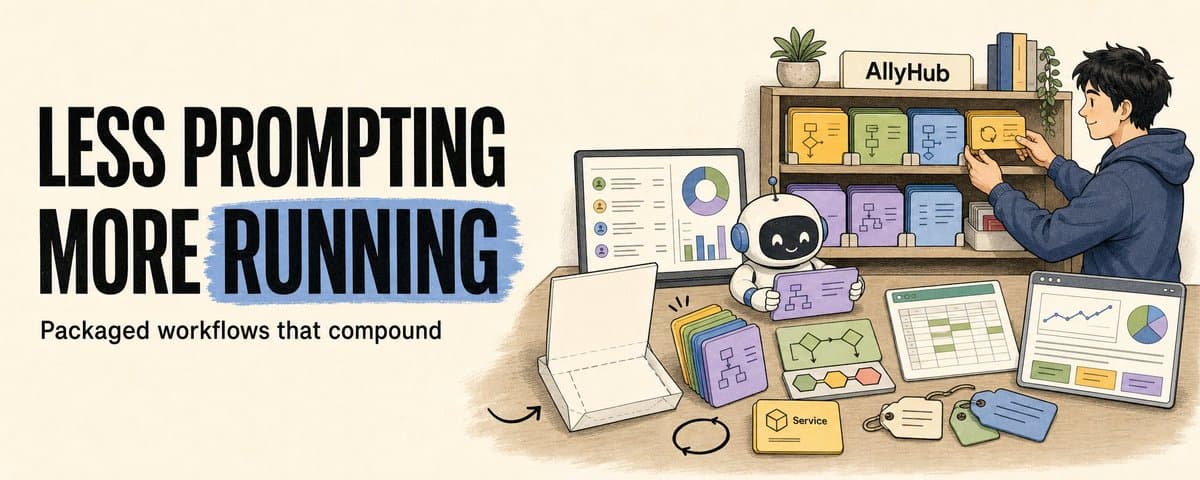
The Hub on AllyHub: ready-made Services across 7 categories The unit that matters is the run: something you can inspect, improve, and repeat. Less prompting from zero. More running directly. Let the work itself start to compound. For more agent building notes written as I build, follow @Voxyz_ai. New stuff every day, full notes at voxyz.ai/insights. Hope this was useful. Vox ❤️
Originally on X
This piece first appeared on X on Jun 9, 2026.
X first-week signal captured Jun 17, 2026
Next step
If you want to build your own system from this article, choose the next step that matches what you need right now.
Related insights
How I run any AI voice tool through the same client delivery workflow
I've used Fish, Cartesia, Panda, Starfish, Mockingbird, ElevenLabs, and ElevenLabs V3 for client work. ElevenLabs V3 was my default for a while because it handled full sentences and emotion well. On
Read nextInstall a skill once, use it everywhere
Most of us run two or more agent CLIs now (Claude Code, Codex), and we bounce between a laptop and the cloud on top of that. I installed each skill once per CLI, then again per machine, and it got
Read nextclaude code-maxxing: treat claude code like a project loop
Most people run claude code like a smarter terminal. ask for a change. take the diff. maybe run tests. close the session. it works fine. it also wastes most of what claude code can do. what changed
Read next