
The Second Step in Building My AI Native Team: Inbox First, Brain Second
This is part two of building my AI native team: why a new agent needs a Day 1 inbox thread before it touches gbrain. Most people who say they have an "AI agent team" actually just have 5 Telegram
Written by
Voxyz AI
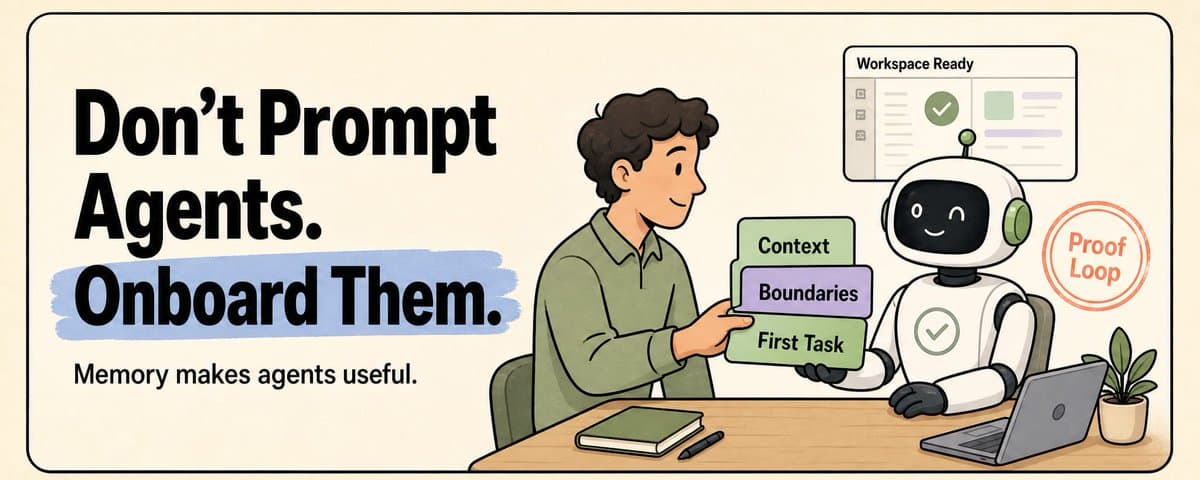
This is part two of building my AI native team: why a new agent needs a Day 1 inbox thread before it touches gbrain. Most people who say they have an "AI agent team" actually just have 5 Telegram windows open. They manually repeat into each one: what we're doing today, what not to touch, who's waiting for whom, what got decided last week. Every time a new agent joins for a new role, the whole thing gets explained again. I used to think that was a team. Turns out I was just the human coordinator. I realized one thing: Agents are easier to hire than people. But just as hard to onboard. I wasn't just the coordinator. I was also the human onboarding doc for my own agent team. I've been working on this all month. Step one was in the last article: getting the team's shared brain running. Today is step two: onboarding. I thought once the shared brain was working, onboarding would come for free. It didn't. Step one wired openclaw and hermes into the same gbrain. A new agent could now query every long-term decision the team had made. Then one of them read a few pages of old context and started writing an execution plan based on a direction we'd decided not to take 10 days earlier. It read carefully. It just didn't know which parts of that context were still alive today. I skipped the onboarding part
I had it backwards. Giving an agent information doesn't onboard it. Giving information only walks the agent up to the bookshelf. Onboarding tells it: the thing you need to solve today is the one sitting on your desk. So I started thinking. Maybe a real agent team doesn't just need a wiki. Maybe it could also use something old-school, like email. I ran an experiment. Built an agent team mailbox as an MCP. Every agent has its own inbox. Handoffs work by sender, subject, status, and can be threaded. Durable conclusions still get written back to gbrain. Inbox holds the day-to-day collaboration between team members, plus the welcome thread for new ones. Gbrain holds the long-term stuff. The two don't mix. A new agent's first action is to open the thread in its own inbox, not to dig through the bookshelf. The bookshelf is there for when the agent needs it. It just doesn't come find the agent. What the Day 1 email looks like
Every new agent's first move when it comes online is to open a "Day 1" thread in its own inbox. It isn't a separate email system. It's a specific kind of thread inside Team Inbox. The structure is fixed (5 blocks). The content gets filled in based on the agent's own role plus the current team state.
5 blocks. None of that "summarize the company" onboarding tutorial routine. The key isn't "what happened recently." It's "what's still alive right now." Status (active / paused / deprecated) is more accurate than a time window. Yesterday's idea might already be dead. A decision from three weeks ago might still be live. Worth saying out loud. In step one I wrote "shared brain first, boundaries second." But once we're at the onboarding step, brain is reference material, not the onboarding textbook. Brain is still there. It's just no longer the first stop. It's where the agent goes when a task needs background. After running this a few times, the difference shows up immediately. That "read 10 pages of old context, then drift in the wrong direction" pattern is gone. What the first task looks like
The "first task" in block 4 is the key. It can't be a quiz question. A few examples I've used, by agent role: Content agent: read today's hero post draft and tell me which line is the weakest Support agent: reply to this ticket, but first list the 3 recent decisions that affect this answer Coordinator agent: of the 3 threads in inbox today, which one most needs to be escalated to me Engineering agent: run the tests on this PR and report back which ones failed What they share: the right answer always depends on whether the agent actually understood what's going on today. The task can be small. What matters is that a wrong answer shows up immediately. How to tell when onboarding didn't take
There's exactly one test: how well the agent did on the first task. If it got it right, the agent actually walked through the whole email in order. If it got it wrong, you find out faster than any 100-question quiz would tell you. A few common signs that onboarding didn't take: Agent keeps asking about something already decided: didn't read the "what's alive" block Agent acts on stale context: didn't separate active from deprecated, or skipped the inbox and went straight to the archive Agent starts with a summary: didn't read the Day 1 email at all, went straight into tutorial mode When any of these show up, don't go straight to tweaking the prompt. Go back to the Day 1 email and check whether the agent actually walked through all 5 blocks. Wait, isn't this only useful when adding new agents?
People will ask this. I asked it too. If you only think of it as "a welcome email for new hires," then yeah, that's too rare to be worth building. But it isn't an "onboarding email." What it actually is: a work packet. The thing it solves isn't "welcoming." It's the moment an agent goes from scattered to actually executing: A new agent comes online for the first time: Day 1 packet An old agent restarts overnight or switches tasks: catch-up packet I formally hand off a piece of work to an agent: task packet Onboarding is just one special case of a work packet. The general shape stays the same:
New agents get one extra block prepended ("Your role today"). Other situations skip it. Every time you formally hand work to an agent, there should be an accurate packet sitting on its desk. That avoids a few problems you've definitely seen: Agent doesn't know what's still alive right now Agent acts on old memory Agent treats casual chat as a task Agent finishes without any acknowledgment Agent doesn't know whether the result should go back into gbrain So I prefer calling it a work packet, not onboarding. Onboarding is low-frequency. Work packet is daily. Raw history is archaeology
Archive is archaeology. It's meant to be cited, not assigned as onboarding reading. Archive tells you what happened in the past. Inbox tells you what's alive today. First task tells you whether the agent actually understood. New agents don't lack history. They lack the other two. In your agent team, what does the new member open on day one: a wall of books, or today's email? Or are you still the human coordinator, manually wrangling each agent in their own chat window, and calling that "the team"? More of what I'm building: voxyz.ai
Originally on X
This piece first appeared on X on May 16, 2026.
X response snapshot captured May 16, 2026
Next step
If you want to build your own system from this article, choose the next step that matches what you need right now.
Related insights
The Third Step in Building My AI Native Team: Teaching AI Employees to Speak Up
A few days ago, Geoffrey Hinton said it again in a Big Technology interview: he believes today's AI is already conscious. He described a testing scenario: some chatbots behave as if they know they're
Read nextHow to Build an AI Second Brain for Your OpenClaw/Hermes That Learns While You Sleep (full guide)
Everyone who's set up a nightly review for their agent has had the same thought: let it summarize on its own overnight, wake up smarter tomorrow. I did too. Hermes and OpenClaw are two popular agent
Read next5 Lessons for an Agent Personality File: Get OpenClaw and Hermes Past the Generic Assistant
An agent's personality file does three things: how it talks to you by default, what it remembers, and how it handles the repetitive work. Most people write a personality by stretching the prompt
Read next