
Turn the stuff you keep asking Claude Code/Codex to do into actual tools
You probably asked AI to do a few of these last week: Turn a bug report into an assignable ticket. Review a chunk of code. Merge info from three different places into one summary. Check something
Written by
Vox
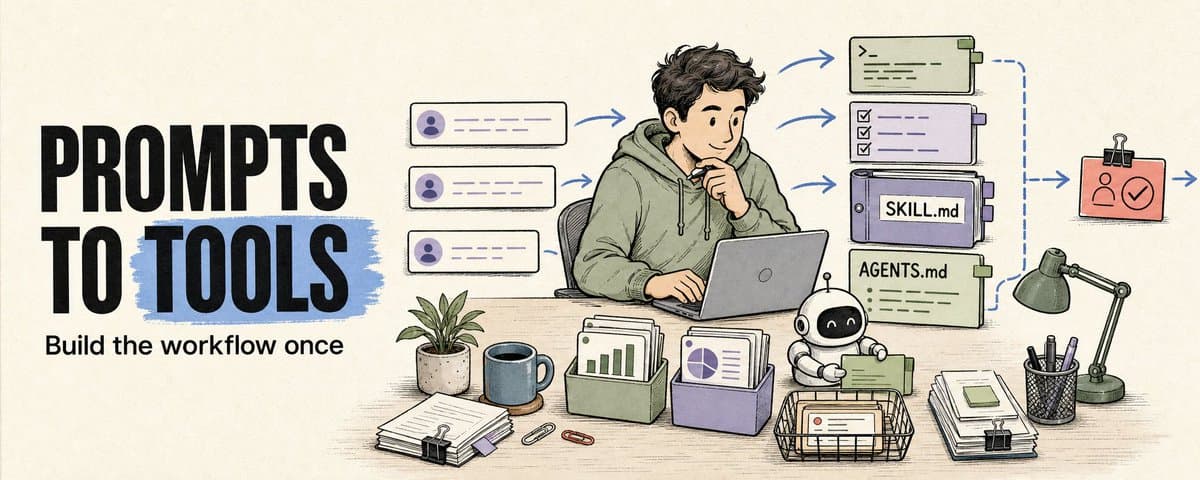
Turn the stuff you keep asking Claude Code/Codex to do into actual tools
You probably asked AI to do a few of these last week:
Turn a bug report into an assignable ticket. Review a chunk of code. Merge info from three different places into one summary. Check something before you send it out. Prioritize a pile of customer messages. Pull numbers from a few data sources and see what moved.
First time, totally normal.
Second time, still fine.
By the third time you're copy-pasting the same prompt, that task has a pattern.
A pattern means you can leave a tool behind.
The tool doesn't have to be big. It could be a test runner script, a deploy-preflight.md, a triage-checklist.md, a SKILL.md, a new rule in your AGENTS.md, or a metrics checklist that runs once a day.
The point is that next time the same kind of work comes up, Claude Code/Codex doesn't have to guess your standards.
It should read directly from your project:
How this task starts. What the inputs are. What good output looks like. Which file is the source of truth. What it can do automatically. Where it must stop and wait for a human.
One-off conversations don't compound
A lot of people use Claude Code/Codex as a fancy chat window.
Today:
Turn this bug report into an assignable ticket.
Tomorrow:
Compare these three options and tell me which one has the least risk.
Day after:
Pull this week's numbers and flag anything that dropped.
Each time it saves you a little time.
But each time you have to re-explain the standards.
Tickets need repro steps and a priority level. Comparisons need clear tradeoffs laid out. Metrics need to be compared against last week, not just raw numbers. Passing locally doesn't mean it's safe to ship. Anything public-facing needs to stop before human approval.
That's the cost of repeating yourself.
A better approach: after each task, leave something in the project folder that makes the next time easier.
Triage a bug today, leave behind a triage checklist. Compare options today, leave behind a decision template. Pull metrics today, leave behind a weekly metrics script. Catch AI overstepping a boundary today, write that approval gate into AGENTS.md.
After every task, the project should know a little more.
Define the result first, then the steps
I wouldn't start by writing:
1. Gather info
2. Make a decision
3. Output the result
That's too vague. AI reads that and still has to guess what you actually want.
A better starting point is to describe what "done" looks like.
Say you want it to prioritize bugs. Don't just say "tell me which bugs are important."
Write it like this:
Goal:
Determine the priority of this bug report.

Inputs:
- Bug description and repro steps
- Blast radius (how many users / which feature)
- Whether there's a workaround
- Current version and environment

Good result:
- Assign a P0-P3 priority
- Explain the reasoning
- If there's not enough info to decide, list what's missing
- Output format should paste directly into the issue tracker
- Final priority confirmed by the owner, never auto-assigned
At that level of detail, Claude Code/Codex actually knows what tool to build for you.
It'll probably give you three versions:
A checklist you can use right now. A small checker you can write today. A skill or integration worth keeping long-term.
Ask for all three at once.
Because you probably don't need the system.
Most of the time a 40-line script is enough.
My example: pre-publish checks for articles
When I write articles, the actual writing is rarely the annoying part.
The annoying part is the pile of small checks before and after publishing.
Is the source still hot. Are bookmarks higher than likes. Do the links work on mobile. Does the HTML read well when you open it. Did the title drift off-topic. Are the images pretty but useless. Did someone count the local final pack as "already published." Did anything slip past human approval.
Each one is small.
Miss one, and the whole piece gets weaker.
Source isn't strong enough, the article is off from the start. Raw URLs too long, painful to review on a phone. Images look nice but teach the reader nothing. AI treats a local file as published evidence, every downstream judgment goes wrong. The system thinks "ready to publish," but public actions need human sign-off.
I used to handle this by writing myself a note:
Remember to check next time.
That note has no teeth.
So I started writing them into tools:
Sources must include visible engagement metrics. Source links in the reader-facing HTML must be clickable. Scoring is split into external signal, source popularity, owned match, and replay potential. Final pack, cover image, and ZIP files don't count as published evidence. Public actions always stop before human approval.
After writing those rules in, I still make the calls.
I still pick the angle. I still choose the title. I still decide whether to publish.
Claude Code/Codex runs the repetitive checks first.
The human stays where the human matters most.
What's worth turning into a tool
I watch for a few signals:
The same task shows up three times in a week. Each time you open the same set of files or pages. Each time you re-explain the same standards. Each time you miss one small detail and have to redo things. Each time there's a clear point where a human needs to decide.
Developers run into this constantly:
PR review checklists. Deploy preflight. Dependency upgrade checks. Bug triage. Test coverage scans. Weekly metrics readback.
Ops and product, same thing:
Support triage. Sales call prep. Candidate screening. Client weekly reports. Competitor tracking. User feedback categorization.
None of this looks like "big automation."
But it's the best place to start.
Because the inputs are relatively fixed, the outputs can be described clearly, and you already know where a human needs to step in.
Human checkpoints belong in files, not in your head
Most AI workflows break down at the boundaries, not the capabilities.
AI can search. It can read. It can draft. It can scan links. It can generate checklists. It can write local files. It can propose changes.
These are the places it needs to stop:
Public actions. Messages to clients. Refunds or pricing. Delivery commitments. Overwriting important files. Deleting version history. Publishing externally. Final calls on titles and opinions.
Don't keep those boundaries in your head.
Write them into AGENTS.md. Write them into publish-preflight.md. Write them into SOURCE_OF_TRUTH.md. Write them into the safety section of the relevant skill.
The clearer the boundaries, the more you can let the tools run.
You used to have to remind it every time:
Don't publish that. Don't overwrite this file. Don't treat that as fact. Don't promise the client. Don't make the final call for me.
Now those rules live in the project.
A prompt you can copy
Take the most annoying repeated task from your last week and throw it at Claude Code/Codex:
I want to turn a workflow I keep doing by hand into a reusable tool.

Workflow name:
One-line pain point:
How many times this came up in the past week:

Inputs:
What files, links, screenshots, data, pages, or systems are needed each time?

Good result:
What does the final output look like?
Give a specific example.

Source of truth:
Which information is most trustworthy?
If chat history, old docs, web pages, CRM, and Notion conflict, which one wins?

Repeated checks:
What small things need checking every time?

Human judgment points:
Where do I need to look myself?
Where does it need taste?
Where would a mistake cause rework or risk?

AI can do directly:
- Search / read:
- Draft:
- Check:
- Format:
- Write local files:

AI must ask first:
- Public actions:
- External messages:
- Payments / refunds:
- Overwriting important files:
- Claims without sources:

Give me three tiers:
1. A checklist I can use today
2. A small script / checker I can write today
3. A skill / integration worth keeping long-term

For each tier, specify:
- Inputs
- Outputs
- Which file it lives in
- Where the human checkpoint goes
- How to test it with the most recent real case
First round, just ask for the plan.
See if it actually understood your work.
Then pick the smallest one and build it.
Start small
Don't try to build a complete system on day one.
For my article pre-publish checks, I started with a simple HTML link checker.
All it did was scan for:
Raw URLs. Empty hrefs. Local file paths. Placeholder links. Whether source anchors were clickable. Whether the title still had "draft" or "temp" in it.
One run and it already saved time.
Once it was stable, I upgraded it into a publish-preflight skill.
After that, I added source metrics, image QA, claim checking, and an approval packet.
One layer at a time.
Try to build too much at once, and it turns into another automation fantasy nobody maintains.
Tools go stale
This one's easy to underestimate.
Workflows change. Tools change. Models change. Your own standards change.
Rules you write today might be wrong in three weeks.
So every tool needs a patch loop.
Didn't trigger when it should have? Fix the trigger. Triggered when it shouldn't? Narrow the scope. Used outdated info? Update the source of truth. Same mistake keeps happening? Add a failure mode. You keep manually editing the same thing? Turn that edit into a rule. Haven't touched it in three months? Archive it.
The return on tooling comes from compounding.
Compounding comes from updating.
Do one today
You don't need to build a system today.
Look back at the past week. Find one thing you did by hand three times.
Write down the inputs. Write down what "done" looks like. Write down the source of truth. Write down where a human needs to decide. Throw it at Claude Code or Codex. Ask for three tiers: checklist, checker, skill. Pick the smallest one. Run it on the most recent real case. If it gets something wrong, write the mistake back into the file.
Next time you do the same task, one piece of manual work is gone.
The time after that, it'll be a little more accurate.
A month from now, what you'll have is not a pile of chat logs.
It's a set of small tools trained on real work.
For more agent building notes written as I build, follow @Voxyz_ai. New stuff every day, full notes at voxyz.ai/insights.
Hope this was useful. Vox ❤️
Originally on X
This piece first appeared on X on Jun 6, 2026.
X first-week signal captured Jun 14, 2026
Next step
If you want to build your own system from this article, choose the next step that matches what you need right now.
Related insights
How I run any AI voice tool through the same client delivery workflow
I've used Fish, Cartesia, Panda, Starfish, Mockingbird, ElevenLabs, and ElevenLabs V3 for client work. ElevenLabs V3 was my default for a while because it handled full sentences and emotion well. On
Read nextInstall a skill once, use it everywhere
Most of us run two or more agent CLIs now (Claude Code, Codex), and we bounce between a laptop and the cloud on top of that. I installed each skill once per CLI, then again per machine, and it got
Read nextclaude code-maxxing: treat claude code like a project loop
Most people run claude code like a smarter terminal. ask for a change. take the diff. maybe run tests. close the session. it works fine. it also wastes most of what claude code can do. what changed
Read next