
How to Build an AI Second Brain for Your OpenClaw/Hermes That Learns While You Sleep (full guide)
Everyone who's set up a nightly review for their agent has had the same thought: let it summarize on its own overnight, wake up smarter tomorrow. I did too. Hermes and OpenClaw are two popular agent
Written by
Vox
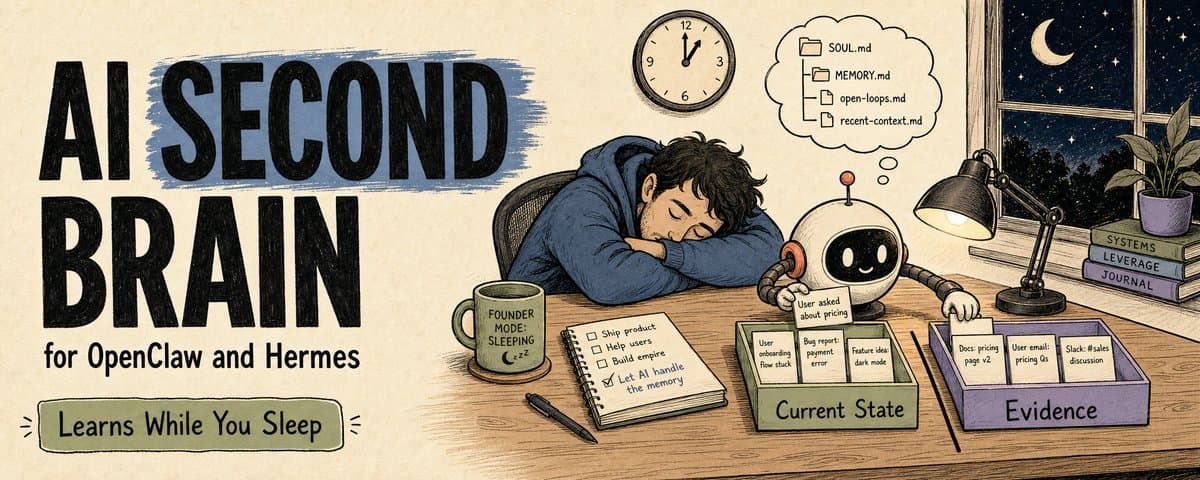
How to Build an AI Second Brain for Your OpenClaw/Hermes That Learns While You Sleep (full guide)
Everyone who's set up a nightly review for their agent has had the same thought: let it summarize on its own overnight, wake up smarter tomorrow.
I did too. Hermes and OpenClaw are two popular agent runtimes, the layer that actually wakes your agent up, runs its tools, and sends results back. Hermes can fire on a cron schedule. OpenClaw has Dreaming, which consolidates short-term signals into long-term memory candidates. But after running this for a while, I found that if each one only stores things inside its own runtime, what you end up with is two agents keeping separate diaries.
A system that actually works keeps three things apart:
Runtime   who wakes up and does the work
Memory    what is worth keeping
Brain     one current state any runtime can load next time
This is why I ended up putting gbrain above both Hermes and OpenClaw.
Hermes and OpenClaw are peer runtimes. They run the loop, call tools, fire on schedule, and send results back to me. gbrain is different: an open-source structured knowledge layer. It can run its own ingestion, dream cycle, even a full agent on top. But in this setup I don't use it as a runtime. I use it for one job: deciding how today's events should surface tomorrow.
This article has nothing to do with switching on some Dreaming feature.
It's about how to use gbrain to build one shared AI second brain on top of your runtime, whether you run Hermes or OpenClaw.
1. Separate the three layers first
I now split the whole system into three layers:
Hermes / OpenClaw
= agent runtime: wakes up, executes, delivers

runtime memory
= each runtime's own short and long-term boot memory

gbrain
= a unified knowledge layer, independent of any runtime
These three can't be mixed.
Hermes / OpenClaw: who does the work
Hermes is good for personal agent loops that wake on a fixed schedule: a morning summary, a nightly audit, a periodic check, results pushed back to Telegram, Slack, or the CLI.
A normal Hermes session has its own persistent memory: MEMORY.md / USER.md injected at session start, plus a session_search tool to pull up past conversations on demand.
Cron is a different story. A Hermes cron job is fired by the gateway daemon, and every run starts a fresh agent session that doesn't inherit your current chat context. The current implementation also skips memory providers during cron (skip_memory=True by default). So a 1am job has to carry its own context: a self-contained prompt, context_from, workdir or context files, or a direct read from gbrain.
In my own usage, OpenClaw fits the workspace / channel routing / multi-agent / Dreaming layer better. Its memory is file-based too: MEMORY.md is the compact curated layer, daily notes are the working layer.
OpenClaw also has Dreaming, a background memory consolidation mechanism, opt-in and off by default. Internally it has three phases (Light / REM / Deep), and only Deep writes durable candidates into MEMORY.md. Useful, but still consolidation inside one runtime.
So Hermes wakes up and runs, OpenClaw wakes up and runs, but on their own they don't add up to one shared brain. They're the hands that do the work. The brain has to sit one level above them.
2. Why you need gbrain as a third layer
At first I thought nightly review was enough.
It wasn't.
The agent did summarize. But the next session doesn't always find that summary when it needs it.
One day, a well-known developer reacted badly to one of our AI-flavored replies. That night, the agent had already recorded:
Today's lesson:
Replies to high-trust developers should be shorter and more casual.
No bullet lists.
No over-explaining.
Don't sound like support.
If that line stays in one runtime's cron output or daily memory, the next time a different runtime picks up the task, or you move to another machine, the lesson is gone. Even if you sync both MEMORY.md files by hand, the long-term memory slowly drifts apart.
That's why I added gbrain on top.
First, one thing to be clear about: OpenClaw and Hermes already have memory of their own. OpenClaw has daily notes, MEMORY.md, memory_search / memory_get, Dreaming, and Active Memory (in eligible interactive sessions, a blocking recall sub-agent runs before the main reply and pulls relevant memories in). Hermes has MEMORY.md / USER.md and session_search.
So if you only run one of them, its own memory is enough to start. You don't need gbrain yet.
gbrain solves the step after that: when you run Hermes and OpenClaw at the same time, or you'll switch runtimes later, the state of a long-lived object shouldn't live in two copies that slowly drift apart. It's an open-source structured knowledge layer that sits outside any single runtime:
Hermes can read it.
OpenClaw can read it.
A nightly job can write it.
An audit job can revise it.
The next agent that wakes up picks up from the same brain page.
Multiple runtimes sharing one brain. That's what starts to feel like a second brain.
3. A second brain is about one current state
When I look at a piece of information now, I don't start with "should I save this." I start with "which layer should it go into."
I sort information into five fates:
daily log       happened today
runtime memory  this runtime needs to know at next boot
gbrain page     a long-lived object's current state
open loop       must come back to this at some future point
archive         only historical value
Examples:
"8 of today's 43 emails need a reply"
→ daily log

"Billing emails: never promise a fix time, only say it's with the billing owner"
→ runtime memory / behavior rule

"Customer A's long-term needs, bug history, payment status, communication style"
→ gbrain page

"Check Customer A's billing update before next Wednesday"
→ open loop / scheduled task

"A low-value one-off discussion that's already closed"
→ archive
The one that matters most is the third layer. A gbrain page answers what this object is right now. It tracks the current state of a person, a company, a project, a concept, a writing asset. For example:
people/a-developer.md
companies/openclaw.md
projects/x-manager.md
concepts/agent-memory.md
writing/ai-second-brain.md
This kind of information shouldn't be locked into any single runtime. Who needs it next depends on the task, not on where it happens to live.
Whichever agent wakes up next should be able to read the same current state. That's the whole reason for a layer that sits outside the runtime.
4. The best part of gbrain is the page structure
The first time I looked at gbrain, what got me was that every page splits into two halves. Top half is Compiled Truth, bottom half is Timeline, with a single --- line between them.
The recommended gbrain schema spells it out: every brain page has two layers. Above the line is Compiled Truth, always the current state, rewritten as new information arrives. Below the line is the Timeline, append-only, an evidence log.
Ask "what's the current state," read above. Ask "what happened," read below.
This fits agents well. The biggest problem with agent memory is that conclusions alone don't carry confidence, and raw logs force the agent to re-reason from scratch every time. The two halves solve exactly that. Compiled Truth is the current best judgment for the next agent to pick up fast. The Timeline is the evidence chain for audit, conflict, and rewrite.
So I don't let the agent write long-term knowledge as prose. I make it write a page like this:
# Entity / Project / Concept Name

> Current state:
> One sentence on what it is now and why it matters.

## State
- What:
- Why it matters:
- Current owner:
- Current status:
- Confidence:
- Last updated:

## Open Threads
- [ ] unresolved questions
- [ ] what to check next time you touch it

## Operating Notes
- what to watch for next time an agent handles this
- what not to do
- when to ask a human first

---

## Timeline
- YYYY-MM-DD | source | what happened | why it changed / did not change the current state
Top is the current conclusion. Bottom is the evidence chain.
New evidence just appends to the timeline. If it changes the judgment, you rewrite the top half. That way the agent doesn't have to redo a researcher's job from the logs every time.
5. How to wire a runtime into the same brain
The design I lean toward now:
Hermes loop
→ personal cadence, cron, Telegram/Slack delivery, lightweight tasks

OpenClaw loop
→ workspace, channel routing, multi-agent / tools / Dreaming

gbrain
→ the unified long-term knowledge layer
The wiring can stay simple:
Runtimes produce signals
- Hermes cron output
- OpenClaw Dreaming / daily notes
- owner feedback
- reply / engagement signal
- support thread

gbrain receives candidates
- run through the RESOLVER
- find the primary home
- update Compiled Truth, or just append to the Timeline
- park anything uncertain in inbox/

Runtimes read it back
- Hermes via context files / session_search / gbrain
- OpenClaw via memory_search / Active Memory / gbrain
The next morning, no runtime has to manually load a big bundle of files. A startup rule per runtime is enough. The boot layer holds only the shortest identity, principles, and boundaries. When a person, company, project, or concept comes up, read its current state from gbrain first. When the runtime needs its own history, reach for its own memory or search tools. Headless cron jobs carry their context in explicitly.
I personally run two nightly jobs back to back and review once by hand before promoting. That's just my wiring, not a requirement of the architecture.
In this setup Hermes and OpenClaw are peers, each suited to different work. One is better for personal cron and delivery, the other for workspace / channel / memory-core / Dreaming. But long-term knowledge shouldn't be locked to any one side. Put it above the runtime, and once your runtimes point at the same gbrain, whether that's one or several, the long-term memory stops drifting across session restarts, machines, and runtime swaps.
6. Worth saving: where a piece of information goes
The table I use now:
Just happened today?
→ daily log

Only affects one runtime's boot behavior?
→ that runtime's memory (Hermes / OpenClaw)

Affects how multiple runtimes judge things later?
→ gbrain page

The long-term state of a person, company, project, concept, or writing asset?
→ gbrain page

Just a short-term reminder?
→ open loop / scheduled task

Needs approval, expiry, permissions, or a source boundary?
→ write an action boundary

No reuse case?
→ archive
The two that trip people up. "Reply shorter next time" is closer to a behavior rule, so it can go into runtime memory. "Why a certain developer is sensitive to AI replies, what happened before, the current state of the relationship" is closer to a brain page.
The first is how to act next time. The second is what this object is right now. A lot of people stuff both into MEMORY.md, and MEMORY.md turns to mush fast.
One more simple rule: reminders go to the scheduler, not the brain. "Check the billing update next Wednesday" is a scheduled task or open loop; the gbrain page for that customer holds only the current state, the evidence, and the action boundary. OpenClaw splits these too: precise timing goes to Scheduled Tasks, periodic checks that need full context go to Heartbeat, and short-term follow-ups inferred from conversation go to its commitments.
7. Worth saving: the Memory Candidate card
When a nightly review turns up something that might be worth keeping, I don't let the agent write it straight into long-term memory. It fills out this card first:
Memory candidate

Source:
What changed:
Future task affected:
Layer:
- runtime startup rule
- gbrain page
- open loop / scheduled task
- archive

Target page:
Confidence:
Expiry / action boundary:
Decision:
The fields can get more detailed, but these few lines are all you need the first time.
This card forces the agent to answer one question: how will this actually change behavior or judgment later? If it can't answer, don't promote.
8. Worth saving: gbrain write rules
These rules come straight from gbrain's recommended schema. They're the part most worth copying. Run through them before every write:
1. Read the RESOLVER first
Does this belong to a person, company, project, concept, writing asset, or inbox?

2. One main object per page
Don't create duplicate pages for the same person / company / project.

3. Top half is current state
Don't dump a running log into Compiled Truth.

4. Bottom half appends evidence
Timeline is append-only. Don't scrub history.

5. Rewrite the top half only when new evidence changes the conclusion
Otherwise just add to the timeline.

6. Every operating note needs a scope
Does it apply to all tasks, or only one channel / customer / project?

7. Action-sensitive memory must carry boundaries
Can it send? Can it promise? When to ask a human? When does it expire?
The last one matters most. Don't write "Customer A is in a hurry." Write:
Customer A's billing issue is currently high priority.

Source:
2026-06-03 support thread

Scope:
billing / support replies

Action boundary:
Can draft a reply, but cannot promise a fix time.

Expiry:
Rewrite after the billing owner updates status.

Next trigger:
Check this before any billing-related reply.
Memory with scope, expiry, and an action boundary is the kind an agent can actually use. One caveat: this only writes the boundary down for the agent to read. It isn't the enforcement layer. Hard blocking still comes from runtime approval settings, sandboxing, tool policy, or scheduled-task config.
9. The three things nightly learning should produce
My requirement for Nightly Learning is specific now: produce three things.
1. Candidate list
What from today might be worth keeping?

2. Promotion decision
Which layer should each candidate go to?

3. Wake-up diff
What current state changed before tomorrow's agent wakes up?
Instead of "summarize what happened today," try:
Sort today's events into:
- daily log
- runtime memory update
- gbrain page update
- open loop
- archive

For each candidate, state:
- why it will be used again later
- whether it goes to runtime memory or gbrain (usable across sessions and runtimes)
- whether it needs to update gbrain's Compiled Truth
- whether it only appends to the Timeline
- whether it has an expiry condition
What sleep-time learning actually produces is today's experience compiled into a current state you can use tomorrow.
10. Telling whether the second brain is actually built
In the end I don't count how much it stored. I look at five questions:
1. What one session learned yesterday, can a fresh session use it today? (A different runtime or a different machine counts.)

2. When Dreaming or a nightly review surfaces a long-term candidate, does it get promoted to a gbrain page any session can find?

3. Does an object's current state have a single source?

4. When new evidence arrives, does the system rewrite the top-half conclusion instead of just piling on logs?

5. When a new session wakes up, can it pick up from a 200-line wake-up pack instead of digging through 50 pages of daily log?
If those questions come back uncertain, what you're missing is probably a runtime-neutral knowledge layer. More cron or another memory plugin won't close the gap.
Here's the whole thing in one line. If you only run one runtime, its own memory is enough. The moment you run Hermes and OpenClaw together, a real question shows up: who maintains the current state that belongs to no single runtime?
For me, that layer is gbrain. It's still a work in progress. I haven't nailed the merge timing for two runtimes' candidates yet, so right now two nightly jobs run back to back and I review once by hand before promoting. But the direction I'm sure about: the long-term knowledge layer has to be independent of the runtime.
Start here
Three things to do tonight:
1. Leave your runtimes' native memory alone for now
Let Hermes / OpenClaw keep using their own MEMORY.md, daily notes, session_search, Dreaming.
Just funnel anything that might matter long-term into one shared candidates file.

2. Add a RESOLVER to gbrain
Before the agent writes any brain page, have it decide whether the info belongs to
people / companies / projects / ideas / concepts / writing / sources / inbox.

3. Pick the 3 most repeatedly mentioned objects and make brain pages first
For example:
- projects/x-manager.md
- companies/openclaw.md
- concepts/agent-memory.md
Don't migrate all your history up front. Get one loop running first:
Hermes / OpenClaw produce candidates
→ gbrain decides where they go
→ update current state or timeline
→ any runtime can read it back the next day
Once that line runs end to end, you actually have an AI second brain. Not tied to any one runtime. Swap Hermes, swap OpenClaw, swap something else, the brain stays.
Don't let your agent wake up every morning like it's day one. And don't let each new session wake up having forgotten what the last one learned.
For more agent building notes written as I build, follow @Voxyz_ai. New stuff every week, full notes at voxyz.ai/insights.
Hope this was useful. Vox ❤
References
Hermes Memory: persistent memory / session_search
Hermes Cron: fresh session / context_from / gateway scheduler
OpenClaw Memory: memory overview
OpenClaw Dreaming: memory-core consolidation
gbrain Schema: Compiled Truth + Timeline
Originally on X
This piece first appeared on X on Jun 4, 2026.
X first-week signal captured Jun 12, 2026
Next step
If you want to build your own system from this article, choose the next step that matches what you need right now.
Related insights
The Third Step in Building My AI Native Team: Teaching AI Employees to Speak Up
A few days ago, Geoffrey Hinton said it again in a Big Technology interview: he believes today's AI is already conscious. He described a testing scenario: some chatbots behave as if they know they're
Read next5 Lessons for an Agent Personality File: Get OpenClaw and Hermes Past the Generic Assistant
An agent's personality file does three things: how it talks to you by default, what it remembers, and how it handles the repetitive work. Most people write a personality by stretching the prompt
Read nextFrom One AI Loop to an AI Team Workflow With Hermes and OpenClaw
A lot of people want AI to do their work for them, so they open a dozen windows, wire up a dozen tools, and after all that the most automated thing in the whole pipeline is still them, shuttling data
Read next